
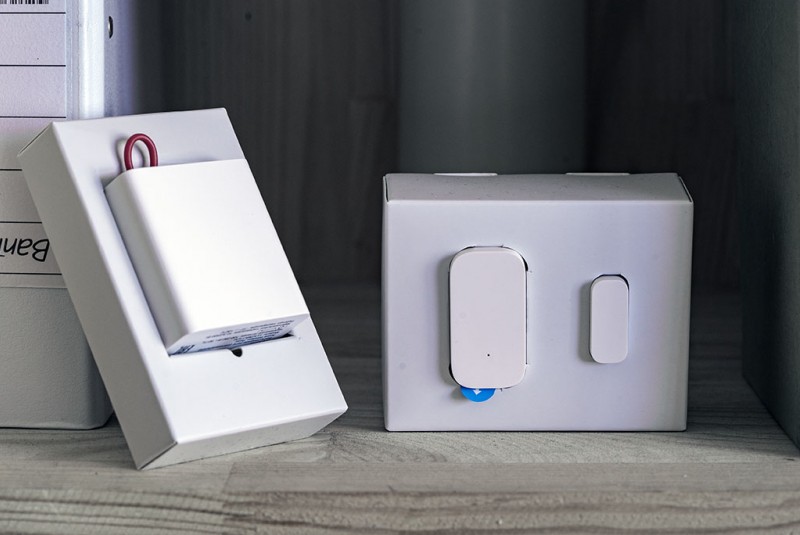
- Setting up sensor scenarios
- Fundamentals and features of Xiaomi Smart Home
- How to manage: data transfer features and settings
- Which devices need a hub
- Xiaomi smart home devices
- What is included in the Aqara line?
- The main components of a smart home
- Installation
- Connecting and setting up a Xiaomi smart home
- Xiaomi Mi Home App
- How to connect modules
- Smart home scenarios
- Smart Home Multifunctional Gateway
- Differences between Xiaomi Mi Hub / Mijia Gateway and Aqara Hub
- Scenarios
- What it is?
- Automation of household tasks
- Purchase Questions
- Branded application and its features
- Setting
Setting up sensor scenarios
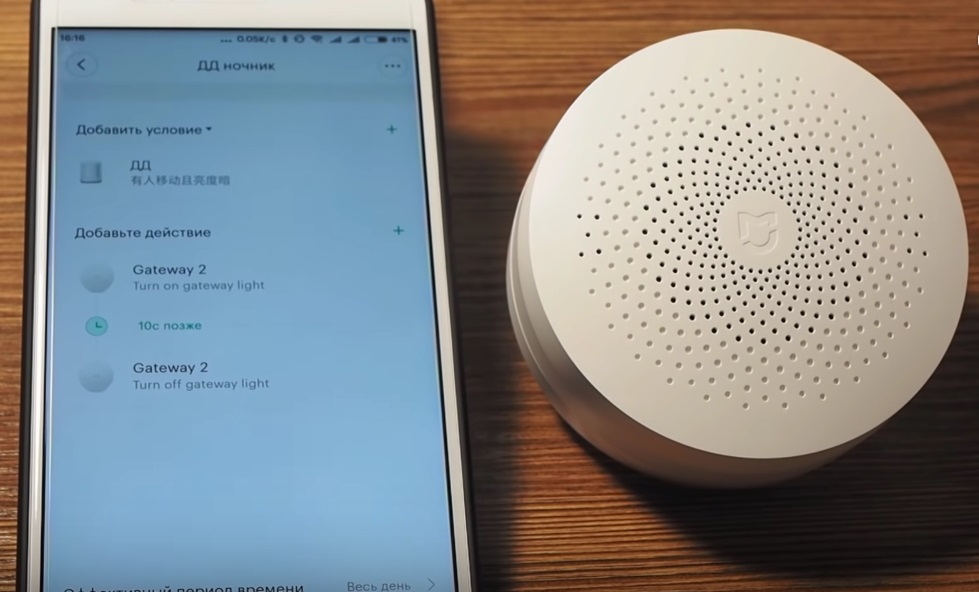
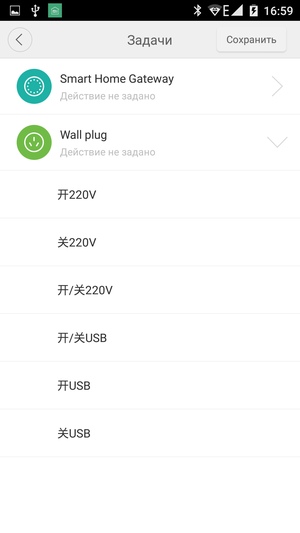
Now let's go back to the main menu of the smart home and go through the sensors. Their settings are similar except for some of their inherent features. Specifically, in each of them, you can configure work scripts - when the sensor is triggered, we select what action will be performed on available devices.
There are already pre-installed plus you can create your own. I have a head unit and a camera available to connect to the script. You can assign a task for them - all of them, unfortunately, are written in Chinese, so I tried everything using the “poke” method. But the translation of our Chinese friends is already ready for you.
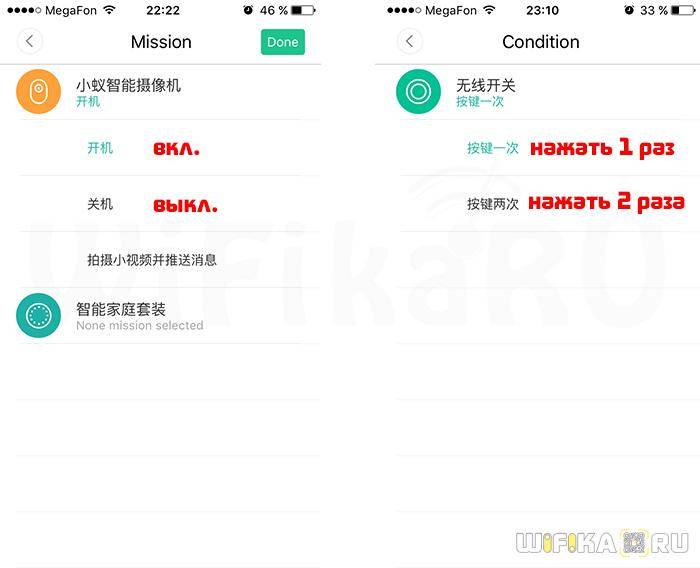
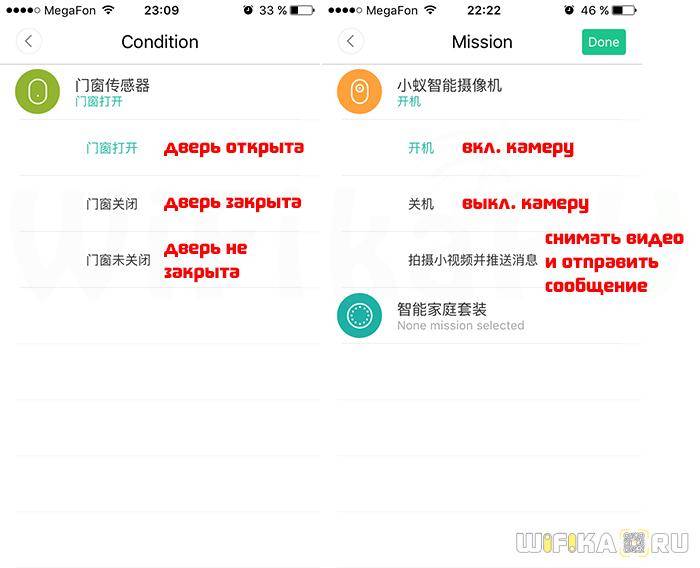
In addition, for some tasks, you can set the time during which it will be performed - for example, a night light will turn on only at night on weekdays based on movement.
After creating the script, it will appear on the sensor settings page - you can activate or deactivate it with the slider. You can additionally add the same sensors to the system by selecting the appropriate menu item in the "Gateway" - "Add subdevice" section. To do this, we take out a paper clip from the set and press the button in a small hole - the sensor itself will connect to the control unit.
Now let's look at the additional bottom menu.
In it, with a separate button, you can turn on the night light (it is also turned on by the button on the case) and the arming mode. The activation of the latter occurs within a minute so that you can leave the premises in time. The main console starts flashing red, and after 10 seconds an audible signal sounds.
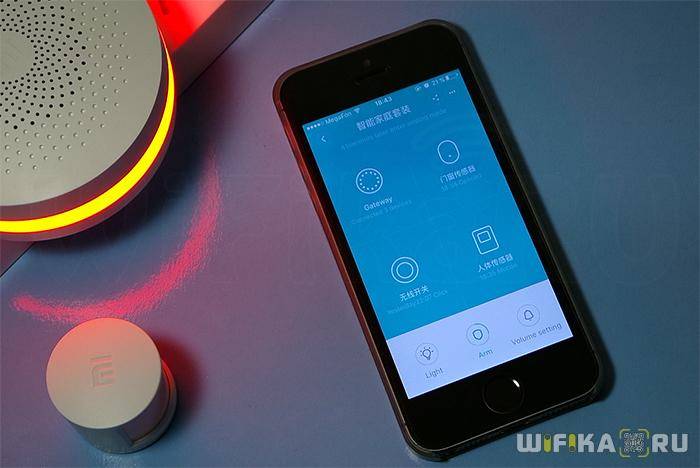
Here's a pretty detailed review. In general, I used the set for some time and came to the conclusion that if you buy a few more motion sensors and doors to it, it will be perfect for a private house with outbuildings. If you put them throughout the territory, then your household will be under constant control and protection from the penetration of uninvited guests at any time of the day.
Fundamentals and features of Xiaomi Smart Home
To make your home smart, do not rush and try to liken it to a high-tech house from a science fiction movie. In a hurry, there is a high probability of purchasing devices that will be unnecessary. It is better to create your own system based on real tasks, and then expand it as needed.
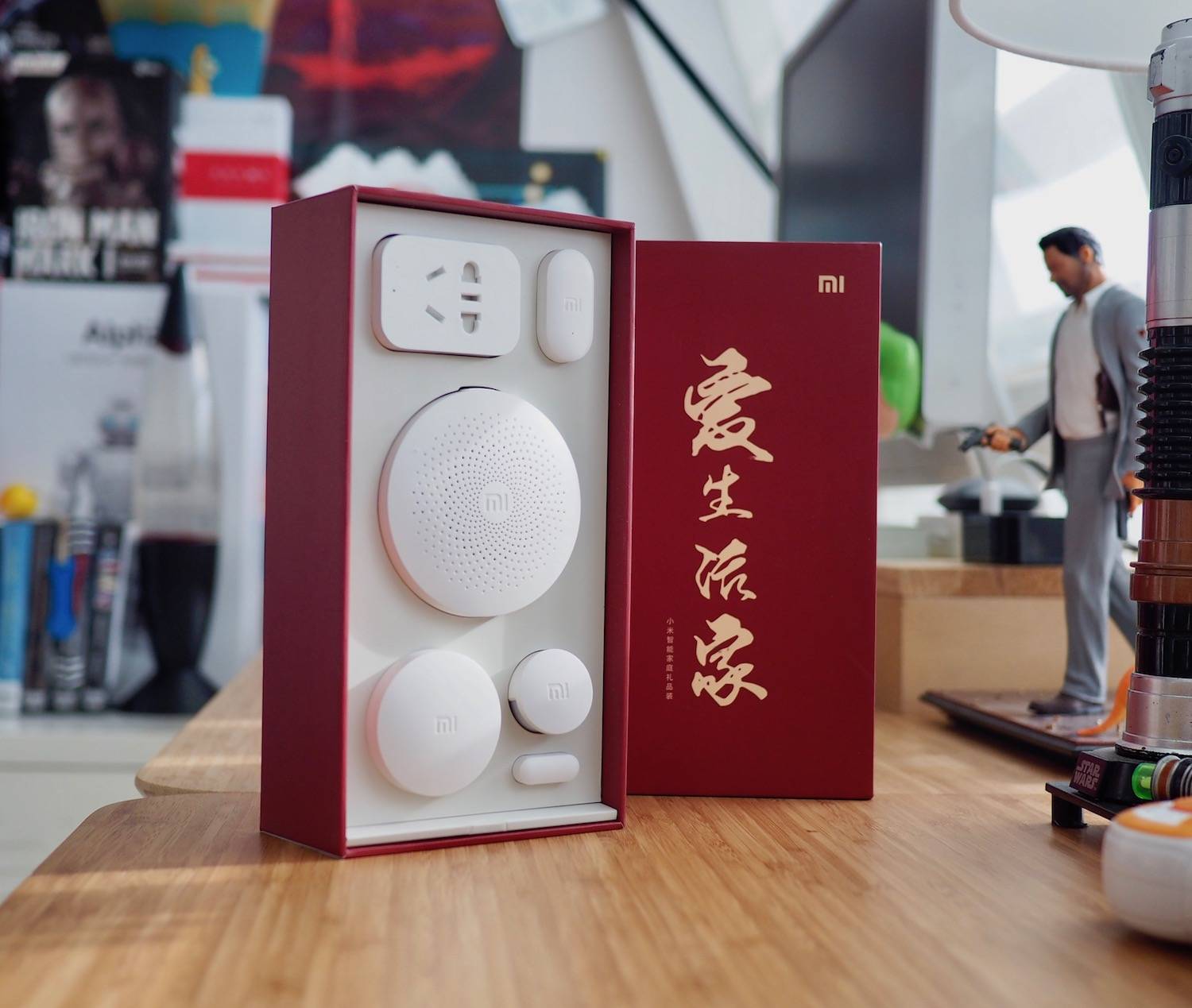
You can start building a Xiaomi system (as, indeed, any alternative one) with the purchase of a starter kit of components. In the case of Xiaomi, the basic set includes the following elements:
- Hub (gateway) Smart Home Multifunctional Gateway. The basis of the system, a device that integrates all sensors and modules. It is equipped with a European-type socket, so you will need an additional adapter. To start the block, it is enough to connect it to the network; The Mi Home application installed on your smartphone will allow you to make the necessary settings.
- Motion sensors that control the position of doors/windows.
- Smart socket.
- Universal (wireless) button.

Starter kit option
In addition to the main task of combining home devices, the hub is able to correctly serve as a night light (a special matte insert runs along the perimeter of the case). The round module can also be used as an LED lamp. It displays 16 million colors and is configured to automatically turn on if there is no main lighting; The choice of backlight mode is available in the settings. An alarm clock is built into the control unit, as well as an online radio, which, however, catches only Chinese radio stations.
How to manage: data transfer features and settings
The exchange of information between parts of Smart Home Xiaomi is carried out in three ways:
- Via Bluetooth short range technology.
- Through Wi-Fi technology. Signal transmission over the local network is wireless (devices are powered from the mains).
- By independent ZigBee protocol. Home devices are networked using the Multifunctional Gateway, but are battery powered.

Hub Smart Home Multifunctional Gateway
ZigBee is a separate wireless network created specifically for Xiaomi Smart Home. It is reliable and easy to configure, has cryptographic protection. Its main advantage is extremely low power consumption and, as a result, high autonomy. The sensors included in the network function properly on one battery for a year and a half (depending on the intensity of use).
You cannot directly manage the settings of sensors and devices from a smartphone (tablet), you will need to install a special Mi Home Apps (it is available for both Android and iOS). Despite the fact that Xiaomi has officially entered the Russian market, setting up a Mi account has a peculiarity. When choosing a location, the item Mainland China should be noted; otherwise, the devices will connect and function with problems.

Mi Home Settings
After plugging the hub into a socket in the Mi Home application, select the "add device" item and follow the instructions. The hub is added to the application first, then other devices are connected to it (for them, you will also have to buy adapters for a European socket, which can be considered as a minus of the system).
Which devices need a hub
Although some smart devices can work separately from the hub (without the ZigBee protocol), most of the main ones need it. As part of the Xiaomi smart home, a hub is necessary for all wireless sensors, both basic (movement and opening / closing) and additional (temperature control, flooding, gas leaks).
Since ZigBee is a hardware protocol (tied to a specific platform), a smart socket will not work without a hub (although the Wi-Fi analogue functions independently). ZigBee is needed for Aqara devices: a smart socket built into the wall and for a smart eaves (curtain drive). Wired and wireless switches, as well as a smart door lock, need the protocol.

Not possible without an adapter
Xiaomi smart home devices
Xiaomi Home smart home sensors are connected to the installed gateway. The maximum number of supported sensors per gateway is 50. If you need to control a large number of devices, you will need to install additional hubs. Similarly, it is possible to solve the problem of interaction with sensors remote from each other. At the same time, each gateway does not increase the coverage of the neighboring one, but acts as an independent control element.


Xiaomi's smart home range includes:
- Wall switches.
- Built-in and overhead smart sockets.
- Drive for "smart curtains".
- Climatic sensors - temperature and humidity.
- Smart door locks.
- CCTV Cameras.
- motion detectors.
All sensors integrated with the Xiaomi smart home system are conditionally divided into two types:
- Signal, designed to alert the user.
- Executive, used for remote control of devices.
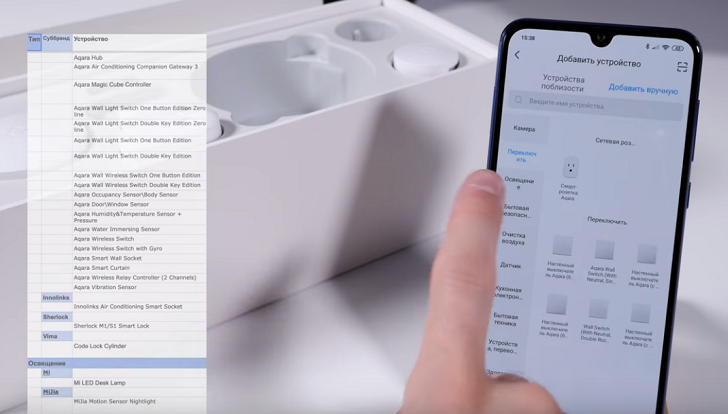
Let us briefly consider both groups of these detectors.
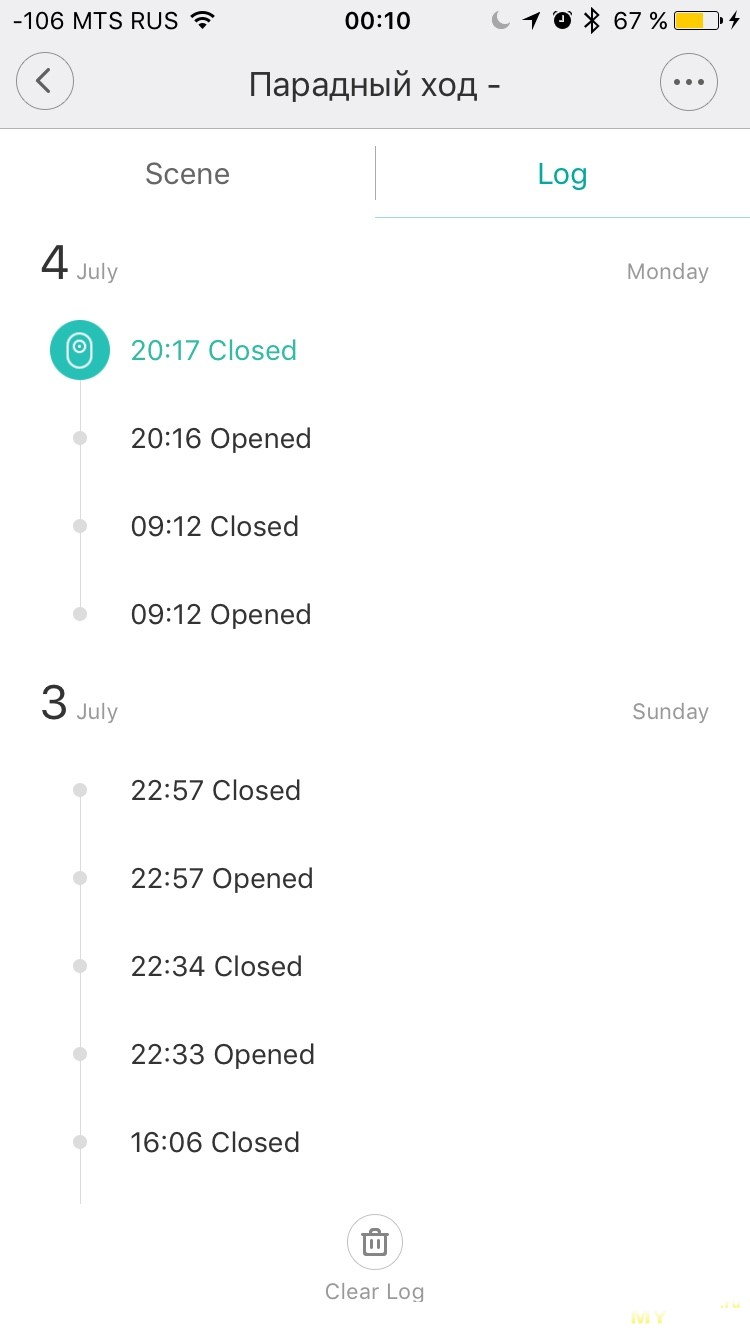
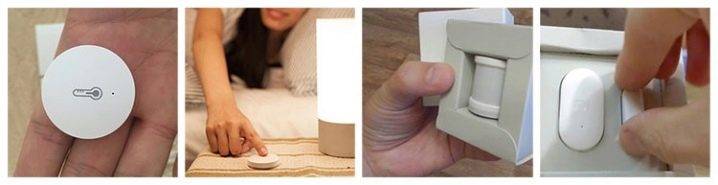
- Motion sensors. They are used in a wide range of scenarios - they allow you to automate turning on and off the lighting in the room, activating surveillance cameras, turning on alarms, etc.The sensor from Mijia is able to detect movement and lack of movement after a certain time period: from 5 to 30 minutes. The device from Aqara also has a mount that allows you to orient the detector in space.
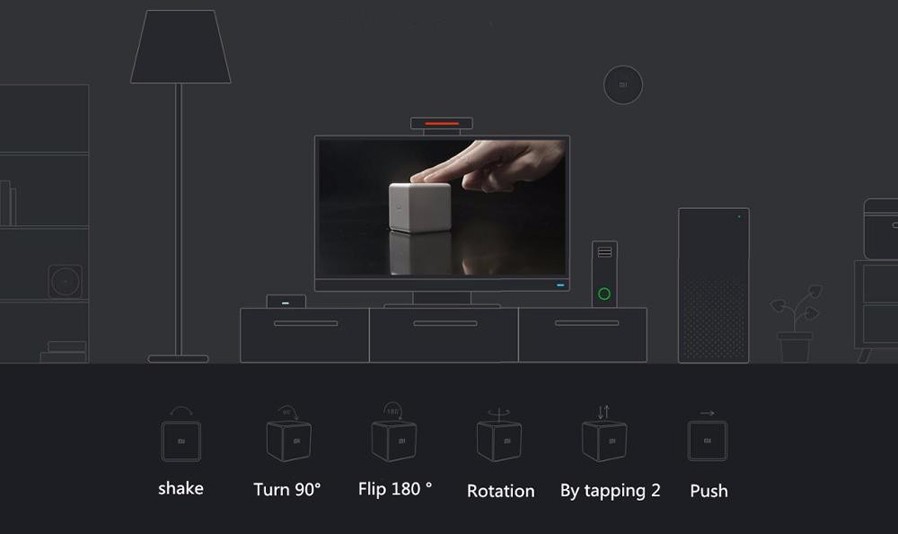
- Xiaomi Magic Cube Cube Controller is a multifunctional sensor manufactured by Xiaomi. The triggering condition for it is a shift from a place, a turn, and also a tossing into the air. Thanks to this original control method, you can smoothly adjust the level of lighting or sound.

- Window and door opening detector. It works on the principle of opening electromagnetic contacts. It can be connected to both a smart home gateway and a regular door lock, turning it into a "smart" burglar alarm device.
- Sensors for water leakage, smoke, water leakage. This group of detectors is represented by a wide range of devices produced both by Xiaomi divisions themselves and jointly with the American company Honeywell. The detectors are capable of transmitting a signal to the homeowner's mobile device via WiFi, simultaneously activating an audible alarm.
- climate sensors. Designed to monitor the level of humidity and temperature in the house, acting as the main detectors when executing the scenario of the operation of fans, air conditioners, heaters. In addition, they are able to control the need for watering house plants.
- Smart sockets. The main task of these devices is to turn on and interrupt the supply of electricity to a household appliance.They are also able to work as a repeater, repeating the transmitted signal from the gateway to a remote sensor. Sockets from Aqara are made in a built-in version, and from Mijia - in a consignment note.
- Wall switches. Smart switches are produced only by Aqara, they come in 2 types: with one and two keys. Single-key switches are capable of reproducing only one condition - one-key click. And the possibilities of the two-key option are expanded to three conditions: left click, right click, or two keys at once.
By design, smart switches come with a zero phase - an option for a Chinese home network. For Russia, the Aqara device with a break in the circuit is more suitable, since we do not have a zero line. They have a contact for the incoming phase and one or two for the outgoing. Wireless switch options are inherently similar to wireless pushbuttons.
What is included in the Aqara line?

The Aqara range covers everything you need to automate your home spaces. Not everything is represented in Russian retail yet, but even that will be enough to implement most of the tasks in demand. So what can you find?
1. Roller/Curtain Motorized Curtain Poles are available in sliding and roller versions.

2. Aqara switches are the easiest way to automate the lights in your home. Aqara Wall Switch wall switches are installed in a phase break instead of standard switches and allow you to control any lighting fixtures. Aqara wireless switches can be placed in any convenient place. They can be configured to double as a wall switch or enable any smart home control scenarios.

3.Smart Plug sockets for the Russian market with a European plug. Used to automate household appliances (heaters, humidifiers, boilers, etc.).

4. LED-lamps LED Light Bulb are offered at the moment only for the standard E27 base in Russia.

5. The Aqara Wireless Relay can be configured to work together with an ordinary switch, adding the functionality of a “smart” switch to it, or as a device for remote control of electrical appliances.

6. Hub, through which all Aqara devices are combined into a single ZigBee network for subsequent control using a smartphone.

7. Cube device, which acts as a multifunctional programmable smart home control panel.
8. Wireless Mini Switch control button to run single commands.

9. Sensors: vibration; movement and lighting; temperature and humidity; opening doors and windows.
All devices are capable of operating both on a direct signal from the application and using a predefined macro-algorithm.

And there are a lot of them. There are video surveillance systems, and a variety of controllers, and sophisticated household appliances.
The brand's smart locks are especially popular and expected, which allow not only to control the "open / closed" state, but they open and close doors at the touch of a button in the application.
It is important that you don’t need special knowledge to create a smart home based on these components: just install the gadgets and the hub controller in their places, and then combine them using the Aqara application
The main components of a smart home
When designing and building a smart home using the Xiaomi Smart Kit, every little detail must be taken into account and every nuance must be taken into account.The advantage of Chinese-made systems is that at any time you can connect additional components and configure them without much difficulty. The complete set of automation includes such functions:
The complete set of automation includes such functions:
- Safety system. Without this option, it makes no sense to install other equipment, as it can be stolen, damaged or destroyed. The basis of the design are sensors, the type of which best suits the environmental conditions, the traffic intensity near the site and the configuration of the fence. When danger is detected, the sensors send a signal to the control module, which turns on the alarm. All this will not be able to delay the intruders, but will help put them to flight.
- microclimate in the house. The well-being and health of its inhabitants directly depends on the microclimate in the premises. Temperature and humidity sensors are used as indicators, which need to be configured and connected to smart sockets. When the properties of the air change, household appliances are turned on, bringing its parameters to the specified values. Heating with a thermostat works similarly, provided that it is autonomous.
- Smart lighting. In this direction, almost unlimited opportunities open up for property owners. You can make it so that the device will independently turn on and off the lamps and adjust the level of illumination depending on the time of day.
Installation
Now let's talk about how to connect the various components of the Xiaomi smart home system. Consider this in the case where we have a complete set of components. This will allow you to fully disassemble the connection of all elements.


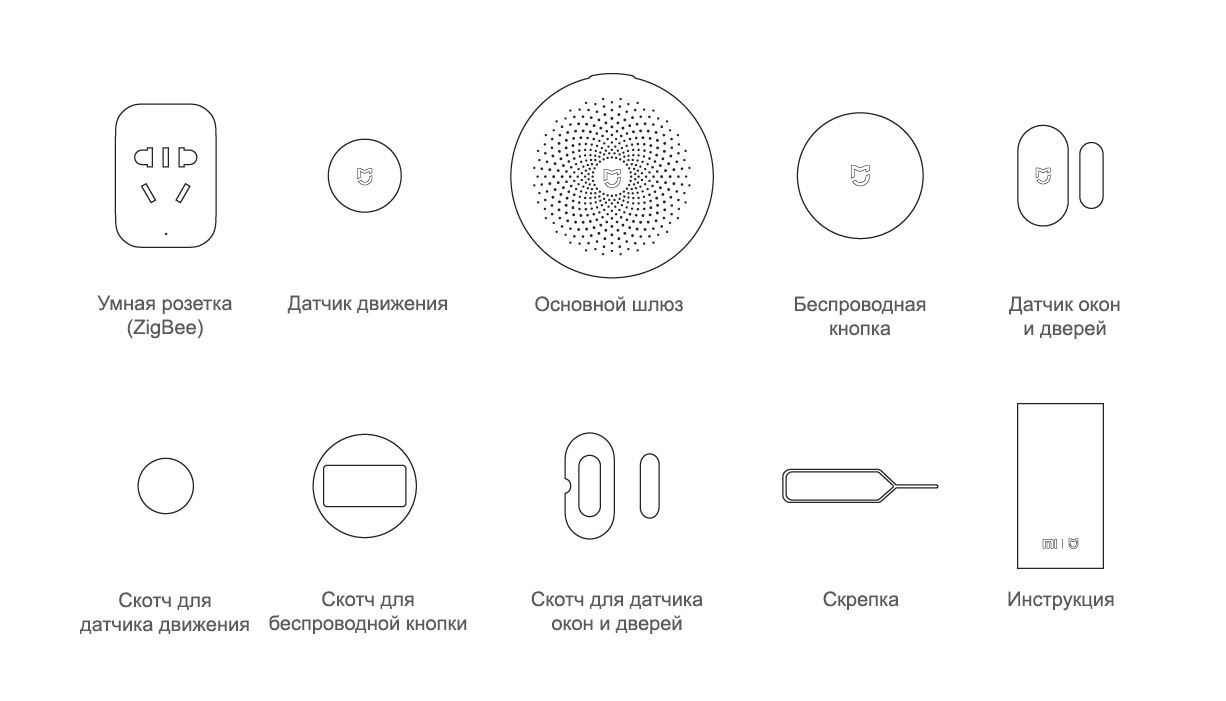
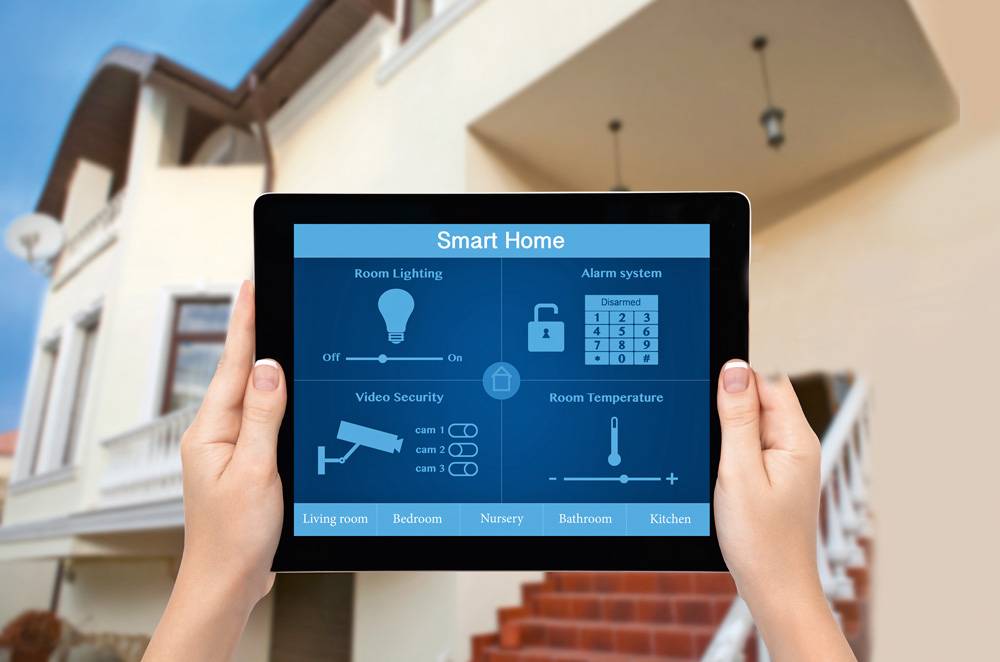
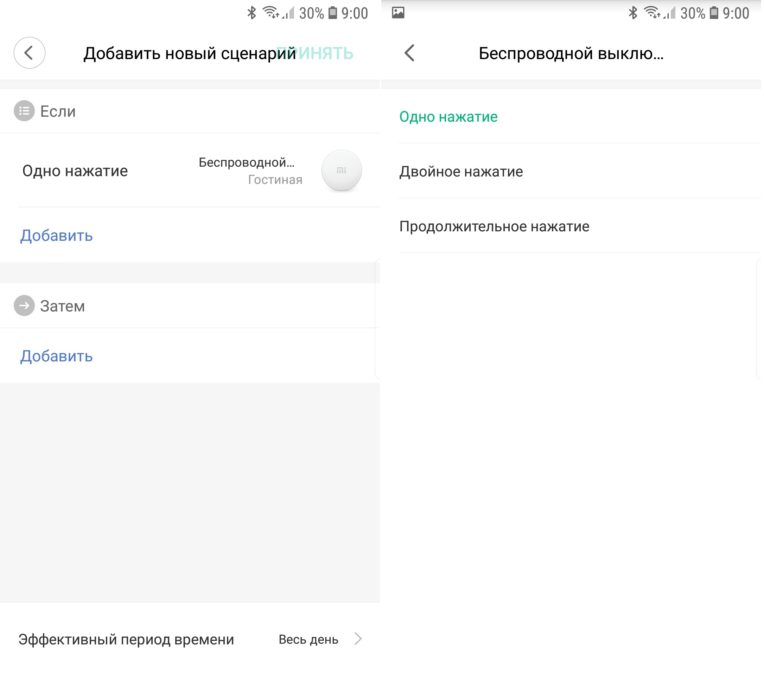
The first step is to physically assemble the system components. It should be noted here that no construction or other work needs to be carried out. As mentioned, everything is glued to the walls using ordinary double-sided tape.
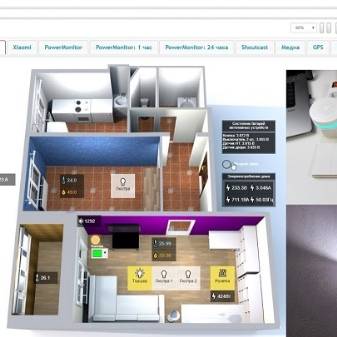
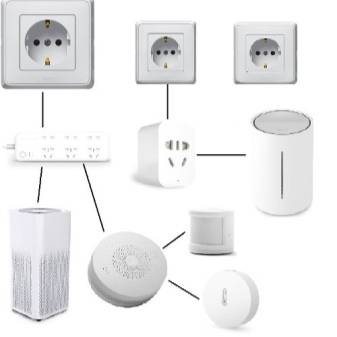
After that, you should connect the wireless network, which is mandatory for the smart home to work. First, download Xiaomi Smart Home to your mobile phone. After you log in, you set up an account, which will come in handy in the future.
Now you need to make the connection of the main gateway to Wi-Fi. When the center unit is plugged in and lights up amber, this indicates that it is ready to select devices and configure them. All actions that will be performed by the user must be correlated with the algorithm that appears on the display. The sounds that accompany the operation of the device may not be clear to everyone, as they are provided in Chinese.
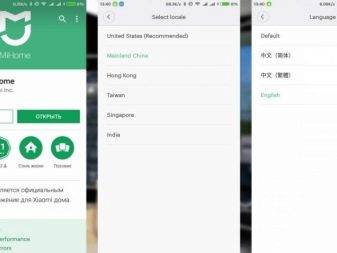
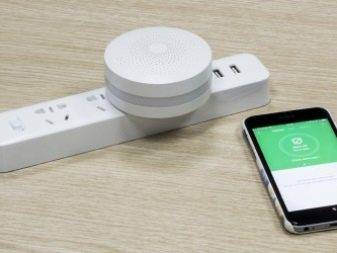
Consider step by step installation instructions.
- Before plugging into the outlet, the screen displays a certain image. After clicking on the Yes button, the diode on the gadget will start flashing yellow.
- Now, by clicking on the checkbox, we activate a certain indicator mode.
- We carry out the login and password on Wi-Fi. An important point should be noted here - the data must be the same for all gadgets. True, you have to wait until all the devices are connected.
- After some time, the list of applications will be replenished with one more that will control the system. By clicking on the application icon, you can get to the control panel.
- All gadgets that are connected will be reflected on the smartphone screen.
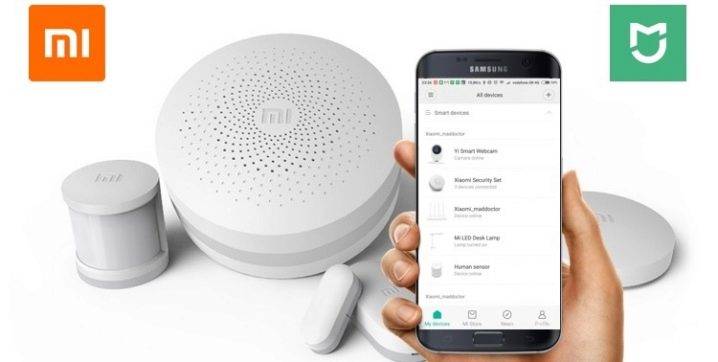
Connecting and setting up a Xiaomi smart home
So, let's figure out what we need in order to automate our home.
First, you need to purchase a set of sensors, sensors, modules and other components that will equip your home.
Secondly, all components must be connected to a single base or the so-called gateway.
Alternatively, you can first purchase one of the starter kits, which includes the shield itself for connection and a set of modules. For example, Xiaomi Mi Home (Mijia) Smart Home Security, where, in addition to the base, two sensors for opening windows or doors and two motion sensors are included.
Thirdly, the whole system needs to be managed and configured somehow. To do this, we need the Xiaomi Mi Home app. We will get to know him a little closer.
Xiaomi Mi Home App
The Xiaomi smart home control app is installed on your smartphone or tablet.
In the Google Play app store, the Mi Home page looks like this:
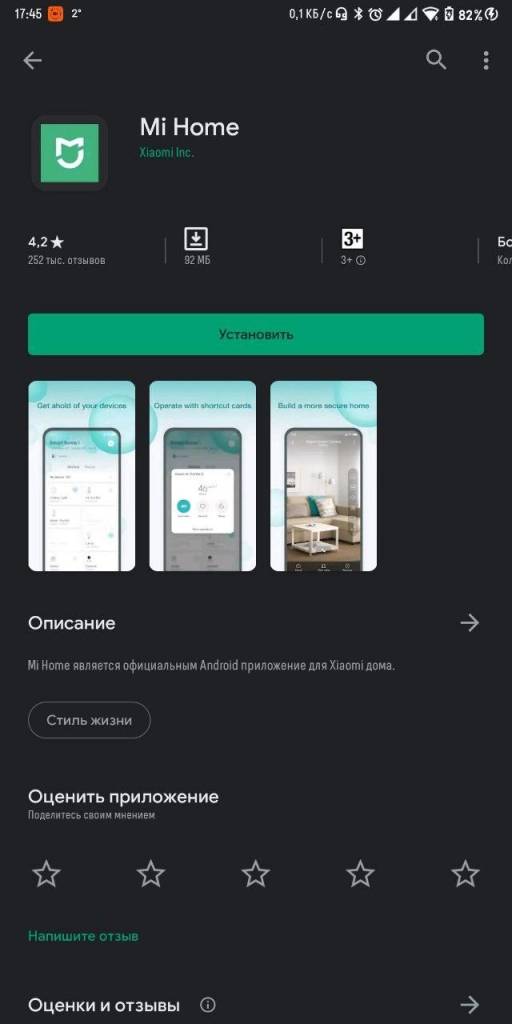
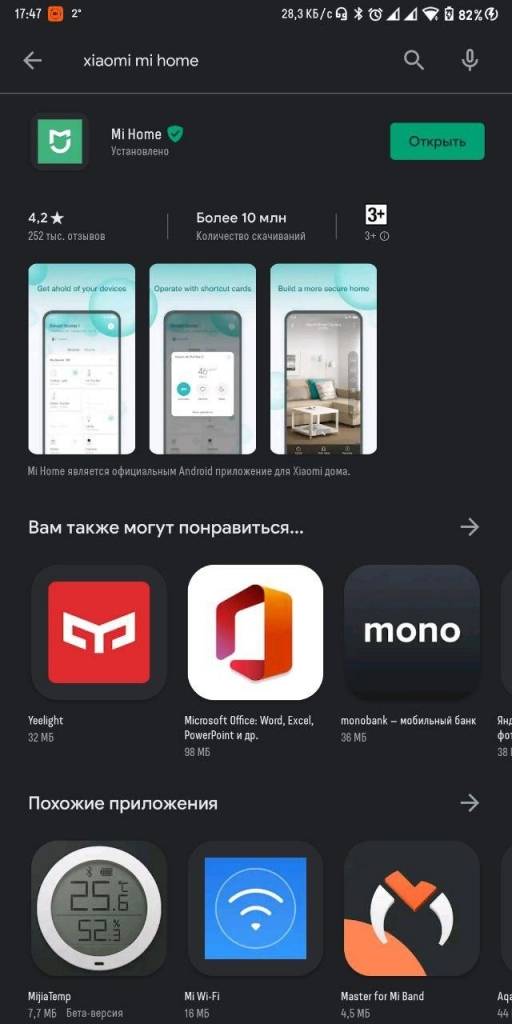
During the first launch, the application will ask for permission to access data, show you the license agreement, ask you to select your region of residence and log in using your Mi account.
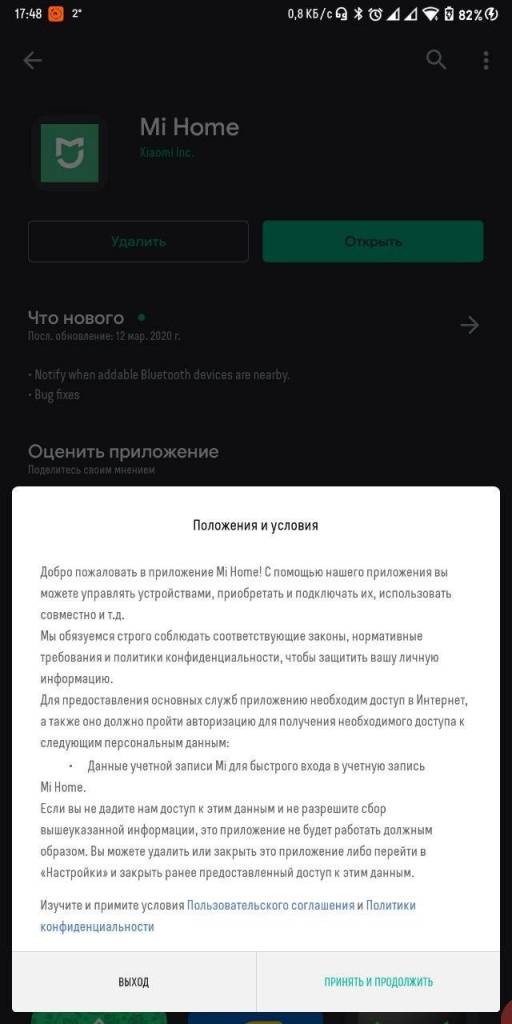
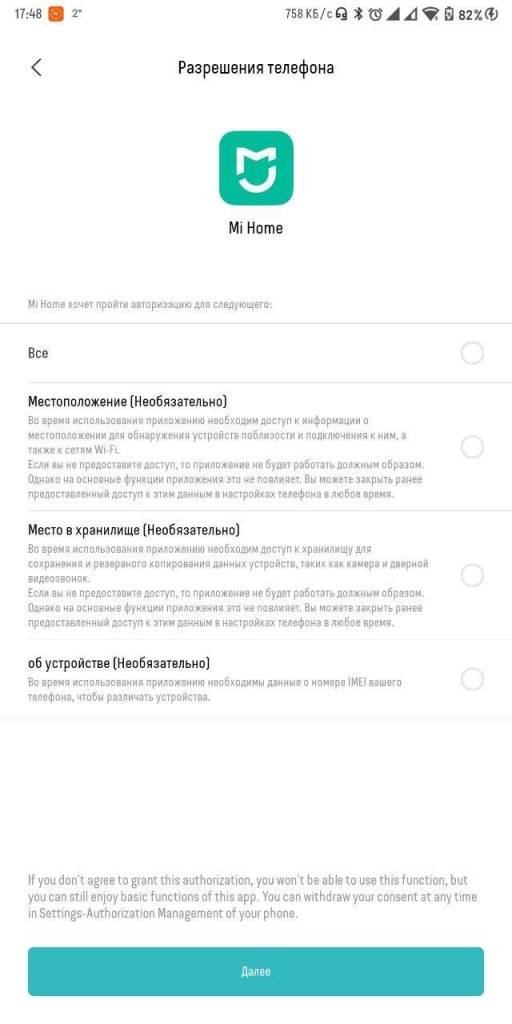
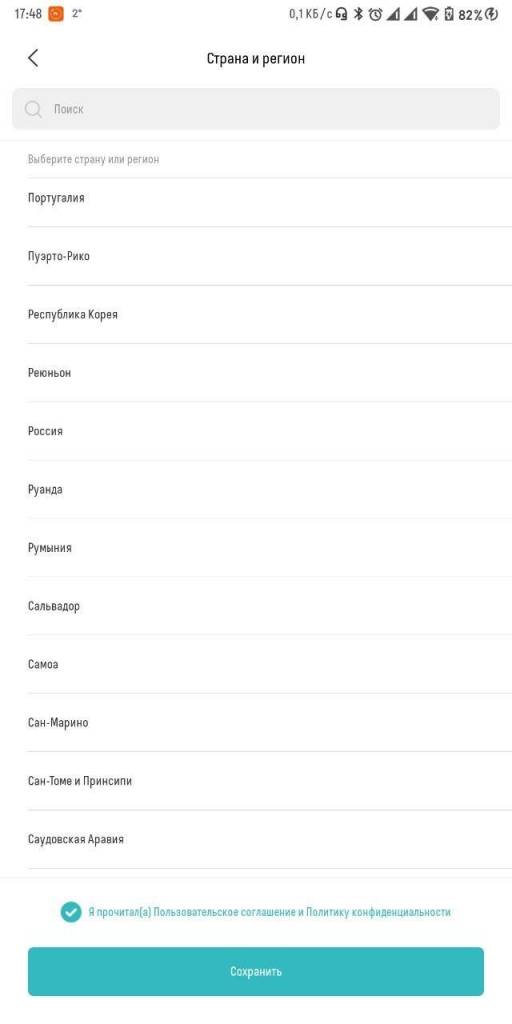
After all the steps taken you will be greeted by the dreary emptiness of the home screen, to which you have not yet added a single device from the Xiaomi Smart Home ecosystem.
Let's fix it and connect the modules!
How to connect modules
Smart home modules are connected directly on the main page of the application.
It is enough to touch the inscription "Add a device", and we plunge into the boundless sea of modules and components that can be included in the system.
All devices are divided into convenient subcategories. They will be needed if the application itself cannot determine the active modules and they will need to be added manually.
All added components will appear on the main screen of the application for easy access.
Now it's time to move on to automating the actions of the system. To do this, we need to create scripts for the behavior of components and modules.




Smart home scenarios
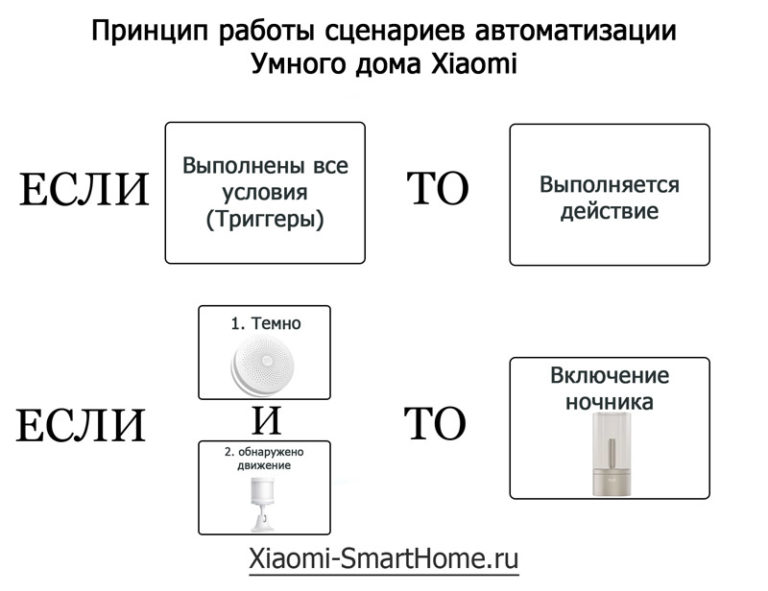
What are Xiaomi UD Scenarios? These are instructions according to which all equipment connected to the system works. For example, if by pressing the universal button all the lights in the house are turned on at once, this is the work of the script.
You can proceed to the script filling section only after adding all devices and modules to the menu. Because only in this case the full functionality of all scenarios will become available to you.
To get to the scenarios section, you need to select the “Automation” category at the very bottom of the screen, after which a still blank screen will open, where the entire list of active smart home scenarios will be placed.

Smart Home Multifunctional Gateway
Where does a smart home start? From the installation and connection of the base or gateway of the entire system, which will process the signals of sensors and connected devices, generate notifications and control the operation of the smart home. There are two main gateways - Xiaomi Mijia and Xiaomi Aqara.
Both devices are very similar and are large, slightly domed white pills.The top of the gateways is adorned with a grid of holes that form a music playback grill from the built-in speaker. Each of them can play Internet radio, act as a speaker for playing music from your phone, play notifications and sound alarms.
On the bottom there is a plug for connecting to a 220 V network. It is enough to plug the gateway into a socket, and it is ready for use.
Each housing is equipped with LED backlighting with the ability to adjust the color, as the hubs can work in night light mode.
Differences between Xiaomi Mi Hub / Mijia Gateway and Aqara Hub
Despite the similarity of the devices, they have some significant differences in functionality.
The Xiaomi Gateway hub is somewhat thinner than its counterpart and has more options for connecting to alternative automation systems in addition to Xiaomi Smart Home. That is, third-party devices that do not belong to the Xiaomi line, but support the ZigBee protocol, can be connected to the gateway. For example, recently accessories from IKEA have been connected to the Xiaomi Gateway network, which Aqara cannot boast of. The latter is more utilitarian and will not be friends with third-party automation systems. At the same time, the hub automatically connects components related to Apple HomeKit to its system.

Xiaomi Gateway is supplied exclusively for the Chinese market and only with a Chinese plug. Accordingly, for comfortable use, you must either use an adapter, or indulge in alterations to the plug on your own. Aqara is shipped to both China and European countries, so it can be purchased with a regular plug.

If you plan to equip your home with electronics from several manufacturers to the maximum, the best option is to use two gateways in the system at the same time in order to combine the maximum number of devices. This option is perfect for electronics enthusiasts who build their projects based on the Raspberry Pi.
If ease of use is in the first place and nothing extraneous is planned in the system, it is easier to use Aqara Hub for the global market.
Scenarios
Creation and customization of scenarios will depend on the needs of the inhabitants of the house and their wishes. The only limiting factor may be the number and type of different modules. Directly for each module, you can configure work scripts - when the sensor is triggered, you should choose what action and on what devices will be carried out.
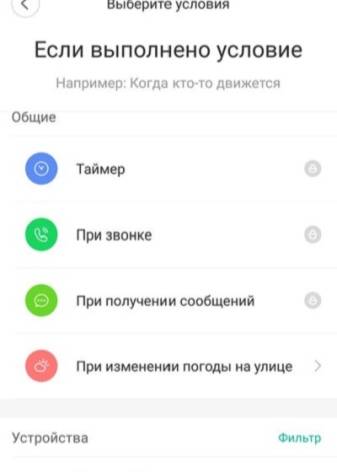
After the script is created, it will appear on the settings page of the sensor responsible for a particular question. It is activated with. The system can additionally include sensors of any type. To do this, select the required item in the Gateway menu, after which you must press the Add subdevice button. After that, you need to press the key in the tiny hole with a paper clip. Now the sensor itself will connect to the control unit.
In the lower menu, you can activate the night light with a separate key, as well as the arming mode. Its activation is usually carried out within 60 seconds so that a person can leave the room or building. After activation, the main device starts flashing red, and after ten seconds, an audible alert occurs.
We should also say a little about modes.
In total, two modes can be activated:
- at home;
- not at home.
If there is no person at home, then the scenario will be activated, according to which the alarm and other sensors will be turned on. And when you return home, you can select the second mode, which will turn off the alarm, but activate the lighting and all the equipment you need.
The system can respond to where your phone is. You can move a certain distance, which is more than what was indicated to you in the program settings, and the security system will automatically activate. It will turn off when you return to the range of the system.
What it is?
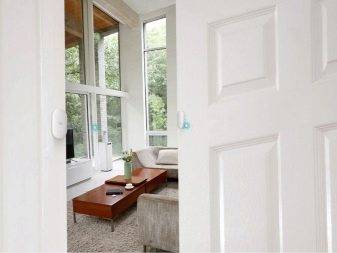
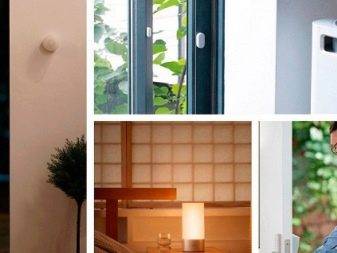
Product from Xiaomi is called Mi Smart home kit. It represents the combination of various electrical appliances that form a single network, which allows you to control the operation of each of them, creating a cozy microclimate in a room or building. For many people, using such a system may seem extremely difficult. But the company managed to expand the capabilities of this mechanism and at the same time make it much simpler, while improving the functional component.




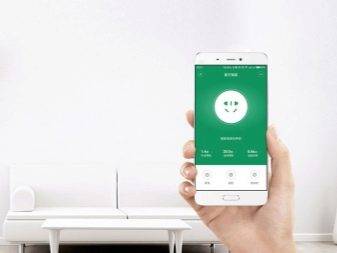
It is the system from Xiaomi that is convenient in that its operation can be controlled using a smartphone. During the setup process, the system can be linked to a user account and managed remotely using the Internet.
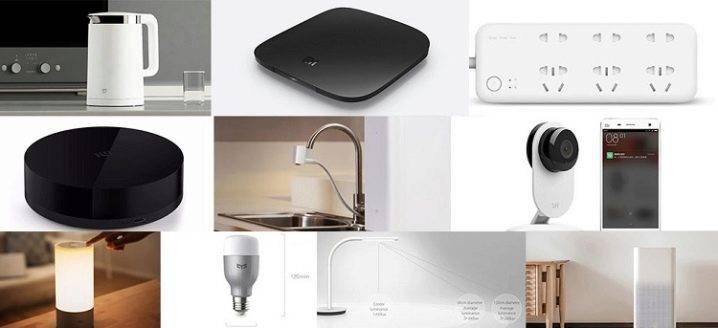
Such a system includes various motion sensors, door position control, wireless switches, smart sockets, a multifunctional gateway, wireless buttons and a temperature and humidity sensor.In general, everything that can make life as easy as possible for a person and make his stay in a particular room as comfortable and cozy as possible. A description of such a system can be found on various websites dedicated to this brand. But in general, the essence of all such systems is not much different from each other and comes down to making life as easy as possible for a person, saving him time and informing him about everything that happens in the house or at the facility in his absence.
Automation of household tasks
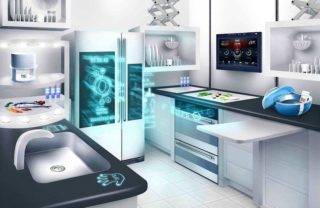 You can automate the work of any equipment in the kitchen and remotely monitor cooking
Using the Xiaomi smart app allows you to manage even those processes that are traditionally considered manual.
Kitchen:
- stove - controlled remotely from a smartphone;
- gas oven - equipped with a gas leak sensor, integrated with an exhaust hood;
- hood - controlled by voice or turned on when fumes and smoke are detected;
- refrigerator - a three-chamber product is equipped with air cooling and a disinfectant filter, the built-in display performs the functions of a telephone, TV and recipe book;
- rice cooker - has 300 cooking recipes, controlled by sensors or a smartphone;
- coffee maker - fully automated, provides for remote control of the device with the ability to select the strength of the drink;
- multi-purpose kitchen machine - heats water, prepares juices and compotes, the degree of their readiness and temperature is transmitted to the smartphone through the router;
- electric kettle - through a mobile device, the water temperature is set and controlled;
Bathroom:
- diffuser for the washing faucet - the water supply turns on contactlessly when the hand approaches;
- soap dispenser - dispenses liquid without contact with the button at the signal of an infrared sensor;
- toilet seat - has anatomical properties, is equipped with the functions of a bidet, lighting, heating, air freshening and automatic flushing;
Smart climate system will maintain the set temperature, humidity, air purity
Microclimate and cleanliness:
- sterilizer - a multifunctional machine that cleans, disinfects and dries dishes;
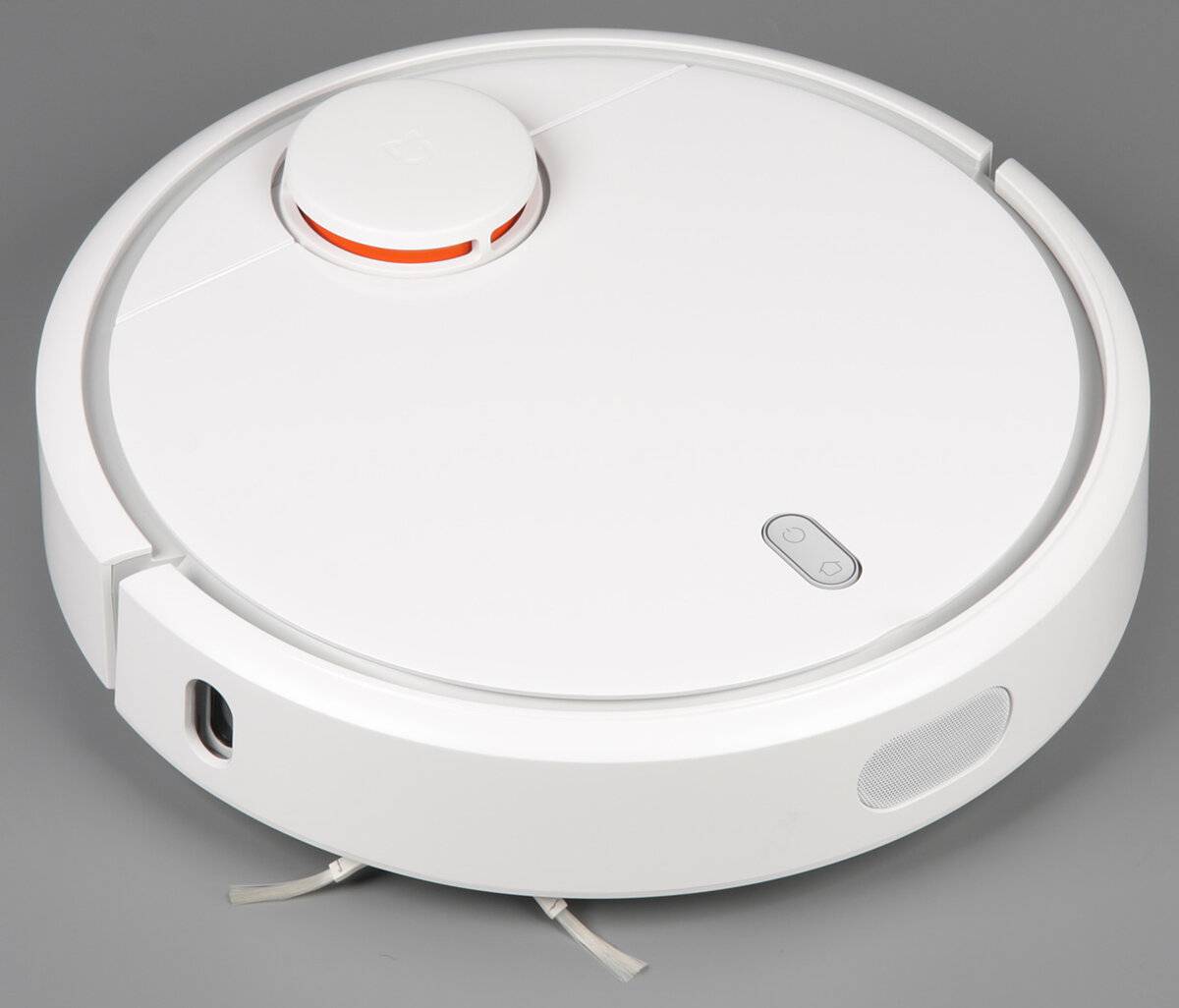
- robotic vacuum cleaner with self-charging - performs dry cleaning in the premises, the application makes it possible to start the equipment and observe the process;
- washing machine - with a load of 8 kg has protection against leaks, short circuits and the possibility of remote control and monitoring;
- waste basket - as the bags are filled, it removes and seals the used ones, installs new containers;
Other:
- drinker-dispenser for animals - the product provides pets with filtered water as it is consumed;
- control sensor for plants - after analyzing the level of humidity, light and temperature, it sends a signal to the owner's phone that it is time to water the flower;
- home theater - the device plays photos, TV signals, movies, music, use as a touchscreen computer monitor.
Purchase Questions

There are three main ways to become the owner of a complex that allows you to create the necessary conditions for comfort and protection at home: buying in an official store, purchasing from distributors, ordering from private sellers.
Making a purchase in Russia, due to the cost of transporting goods and importing them into the country, can cost a large amount.At the same time, the involvement of local sellers makes it possible to simplify the process of obtaining a guarantee for the goods.
Ordering directly from China allows you to save money by getting the necessary elements from manufacturers. Delivery, depending on the conditions of the store and the remoteness of the recipient's locality, may take several weeks.
Branded application and its features

To create a smart automated space from Aqara gadgets, the proprietary Aqara Home application is used, available for and Android.
For each action in the application, you can get detailed help (and if necessary, contact the appropriate section of the official site for a hint).
The interface is extremely user-friendly, sometimes even unnecessarily. There are few settings, everything is conveniently separated into separate blocks that have clear cause-and-effect relationships for everyone who tries to use the application.

The first feature that catches your eye is the ability to link several automated rooms to one account, which may not communicate with each other in any way.
The initial setup is very simple:
1. We connect the tablet or smartphone with Aqara Home to the main Wi-Fi network of the room.2. We turn on the branded hub for managing the ecosystem in the socket and read the barcode through the connection application.3. In the same way, we add pre-purchased Aqara devices.
And this is where the magic begins - setting up a smart space and a variety of scenarios for each gadget separately.
Setting
Now we just have to configure the equipment. If we are talking about the main block, then all actions with it are carried out in the Gateway item.As an example, let's take a light, where you can change the brightness and tone, which are adjusted using the sliders.
In the alarm settings item, accurate time data is entered
It is important to remember here that the time must be adjusted for the time difference with China. You can make the alarm turn off as well, preferring to turn it off manually or turn it off using the sensor
Also in the alarm settings item, it is easy to set the start time of the signal and the duration of the call.
If we talk about alarms, then there are the following settings:
- the time when you can make the siren active;
- type of sound and its volume;
- the number of working devices.
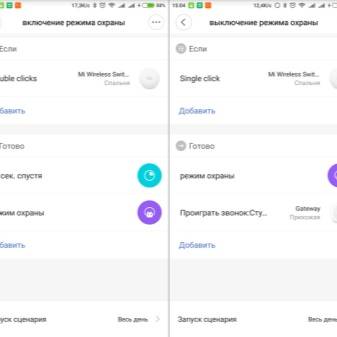
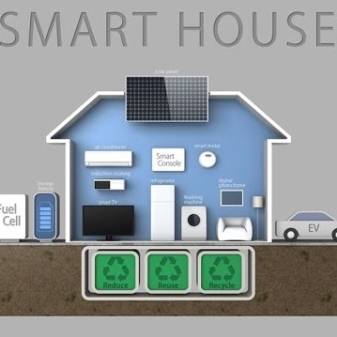
To set up a doorbell, you need to set a certain volume, as well as define an alarm melody. By the way, the smart home mechanism has a rather important function - an alert if someone rings the doorbell. Such a notification comes to the owner's smartphone.
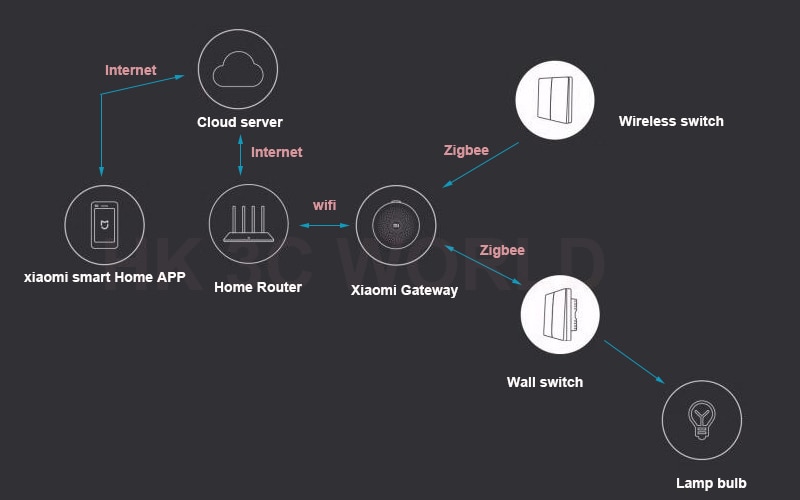
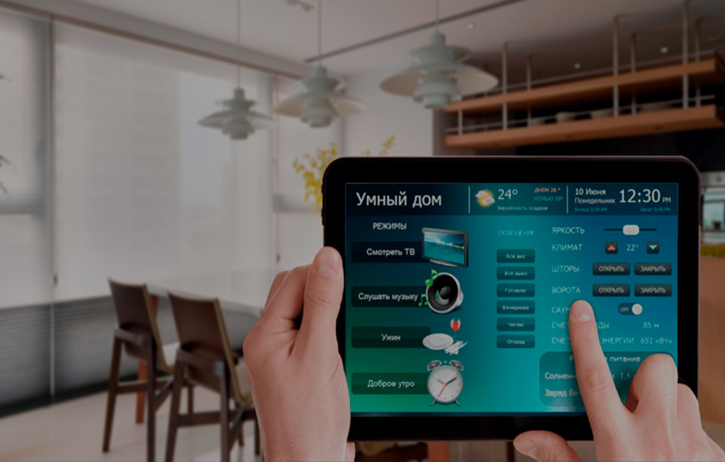

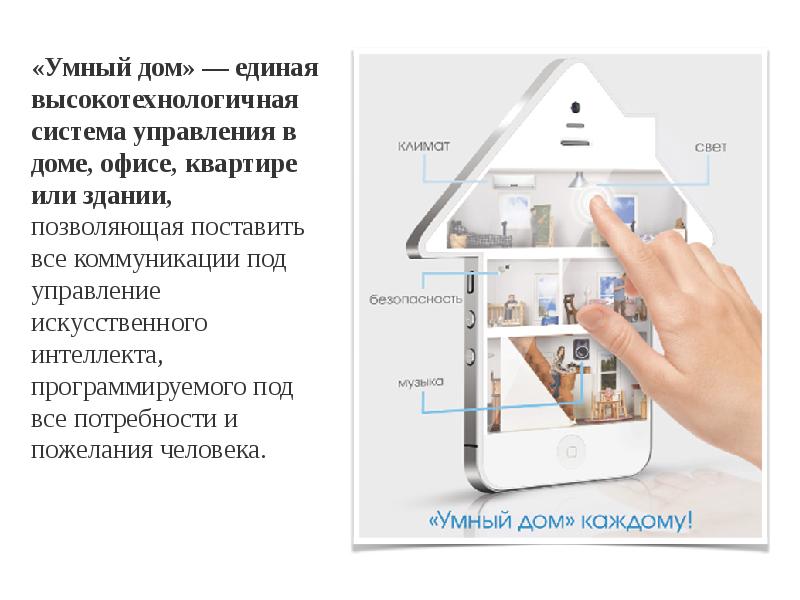

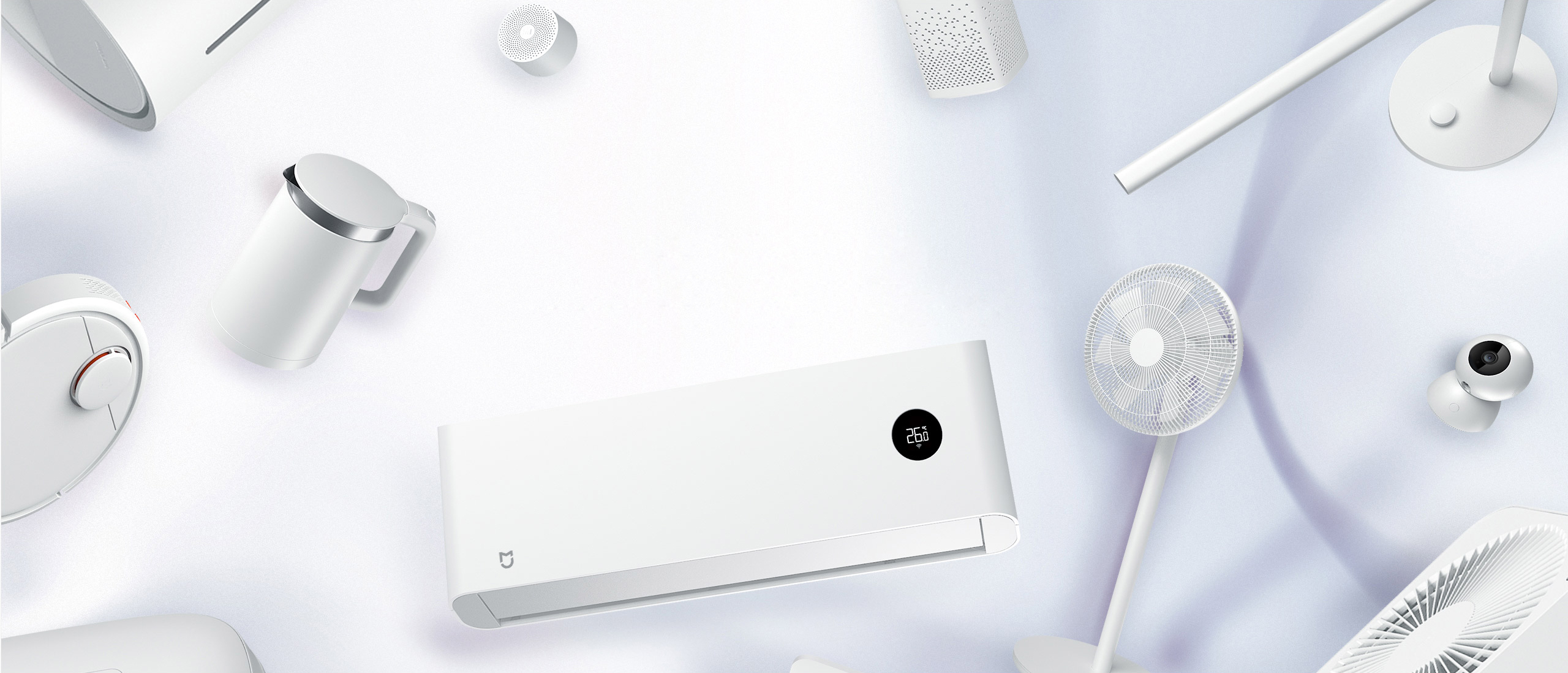

You can add new devices to devices that are already connected using the Add Device item.
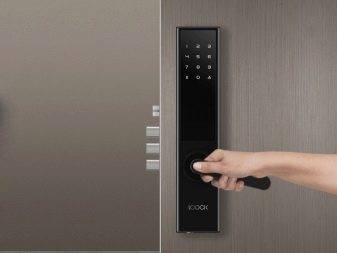
The benefits of such a solution would be:
- a wide variety of devices;
- no need for various construction works for their installation;
- low cost of various elements.
The only drawback can be called a slight lack of adaptation of devices and the software component for the domestic user, but this condition does not affect the operation of the system itself, which can be called high-quality. We also note that due to the large number of devices, this system can satisfy the needs of a person as much as possible and significantly save his time in a number of domestic aspects, which will be of interest to almost everyone.It will also be important that the manufacturer constantly releases more and more new gadgets, which are constantly improving and increasing the capabilities of such a system.
In the next video you will find a complete review of the smart home from Xiaomi.



