
- Computer socket device
- Technology of installation of computer sockets
- Choosing the right tools
- Cable routing and socket installation
- Connecting device contacts
- Laying cables in walls
- socket types
- Checking your internet connection
- Connecting the network cable to the socket
- How to connect a wall socket
- How to connect an internal socket
- Computer socket and its types
- Outlet Description
- Internet socket installation
- Preparatory work
- Wiring signal check
- How to connect a computer outlet
- Termination of the connector in the connector
- Requirements for device components
- Connecting a computer wall outlet
- What is an internet socket?
- Classification of Internet outlets
- Optimum location height
- Mounting the socket on the wall
- Options for using RJ-45 Internet sockets
- Mobile Internet
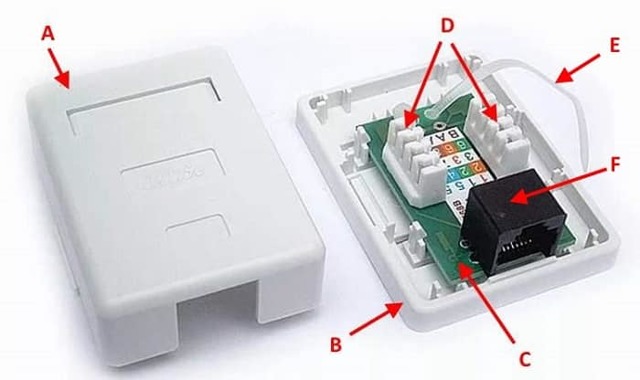
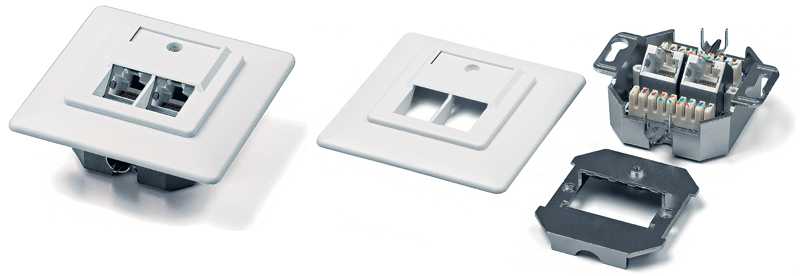
Computer socket device
Outwardly, sockets differ in design, internally in design and arrangement of parts, but they all consist of three main parts:
The base or base is used for fixing in a niche, on a surface or in a wire channel.

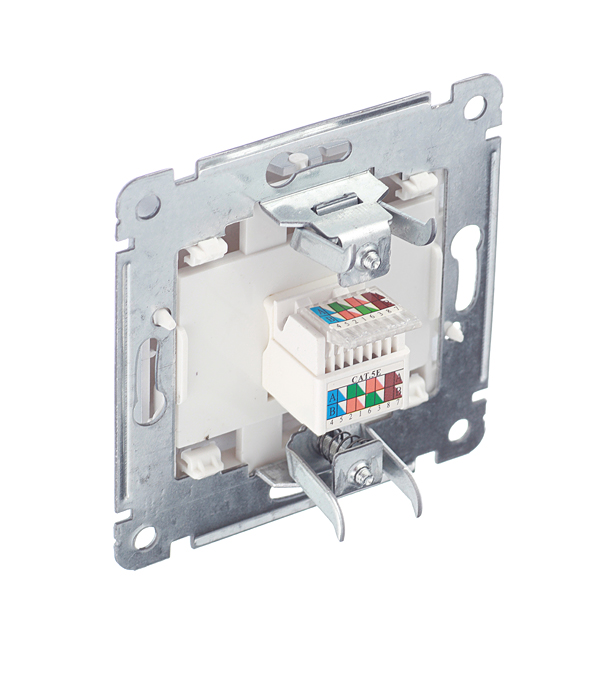
Fastening part with a board and a clamp where the twisted pair wires are placed. The design of the fastener provides for the location of the ends of thin wires according to the scheme indicated on the socket without their preliminary stripping.Once placed, the metal micro guillotine snaps into place with a slight push, creating a full network contact.

The cover, which closes the socket from above, protects the structure as a whole from external influences and serves certain design purposes.
Technology of installation of computer sockets
To connect a computer do-it-yourself socket, there is nothing complicated. You just need to follow the given sequence in your actions.
Choosing the right tools
To carry out the work it is necessary to prepare:
- puncher equipped with a crown of the appropriate diameter;
- cross-cutting knife for stripping insulation;
- Screwdriver Set;
- tester.
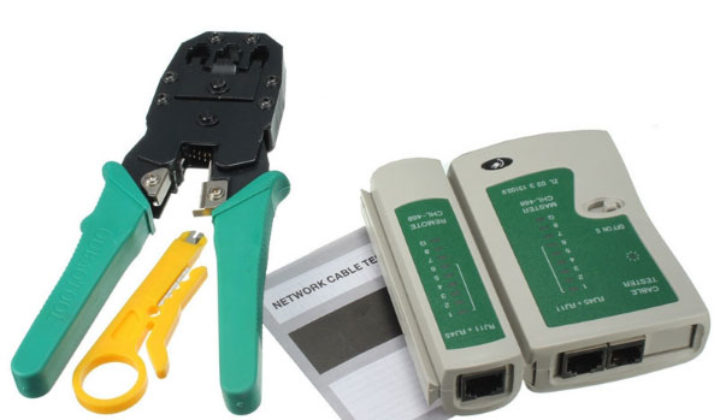
In addition to the basic set of tools, you should take care of purchasing crimping pliers in advance. This tool costs about $10. Therefore, for a one-time job, it makes sense to rent it.
Cable routing and socket installation
The first step is to bring the cable to the installation point. It can be laid open or closed. The first method involves laying the cable in plastic boxes equipped with removable covers, or placing it behind the walls of the plinth.
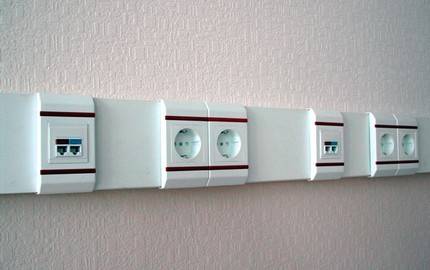
By placing the cable in an overhead way and “planting” it on a DIN rail, you can not only simplify the installation procedure, but also facilitate the maintenance process
The so-called overhead module, which involves fixing the cable to the wall with the help of special dowels of the “quick installation” option, has also become widespread.
To implement the second method, strobes are made, into the cavity of which the cable is laid. To do this, using a puncher equipped with a special crown, a round niche is made in the wall. The diameter of the crown must match the size of the box.
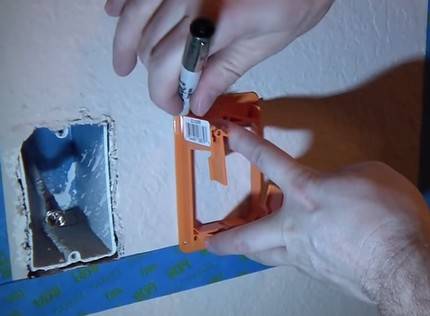
The mounting box of the connection point is buried in the hole made in the wall and fixed with screws and dowels.
The end of the supplied cable is cut off, leaving a margin for the possibility of subsequent multiple connections. The excess end must be carefully laid in a circle inside the box, avoiding conductor fractures.
Connecting device contacts
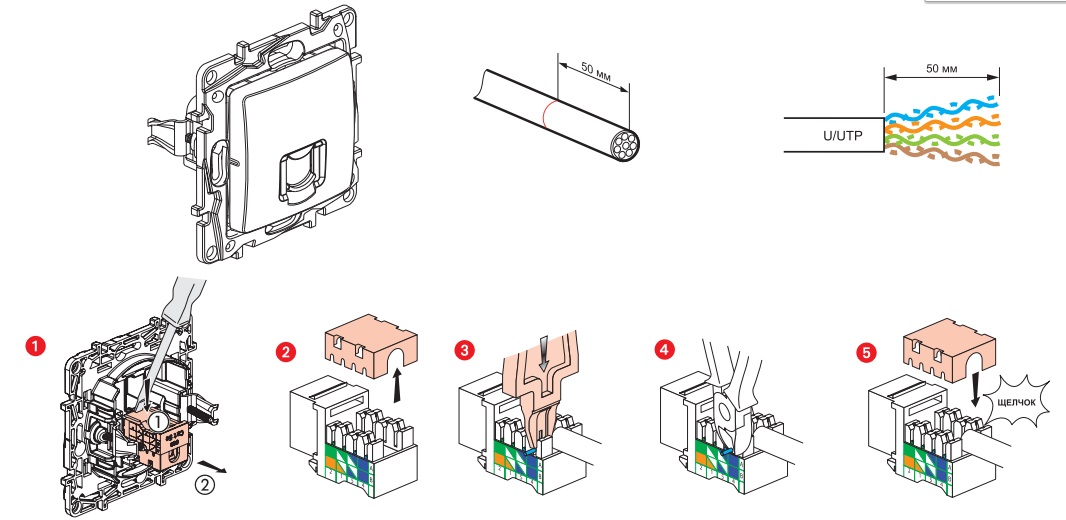
To connect the outlet, use the blades of the cross-cutting knife to remove the outer protective insulation, freeing the end 5-6 cm long
This procedure must be carried out carefully to avoid damage to the insulation of the conductors.
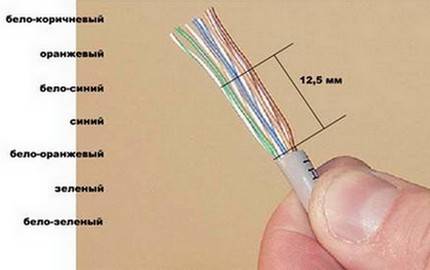
Under the removed insulation, four multi-colored pairs of conductors twisted in two should appear; some cables also have a thin shield wire
Each pair is carefully leveled. There is no need to clean them, since the platform device itself provides reliable contact. Remove the front panel from the socket housing by unscrewing the bolt fixing it.
Some models of sockets are equipped with special latches that work like clips. In such models, in order to remove part of the fittings and gain access to the internal mechanism, you need to carefully turn the lock-handle located on the back face.
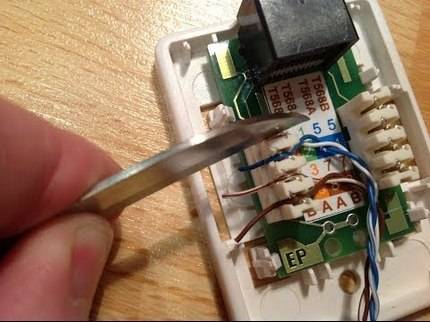
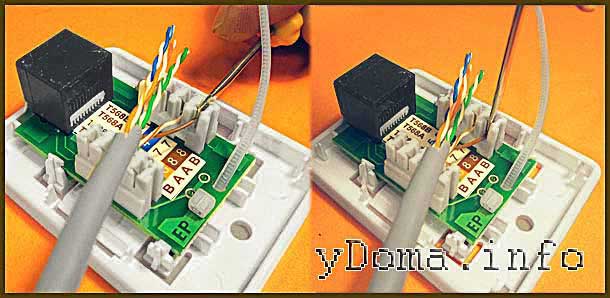
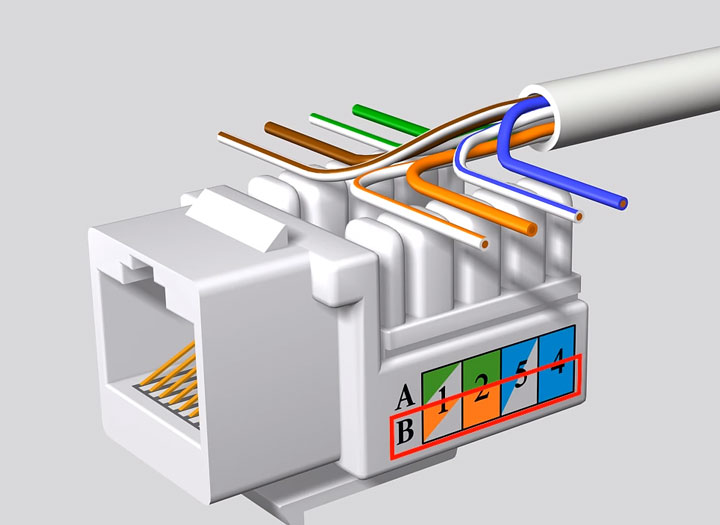
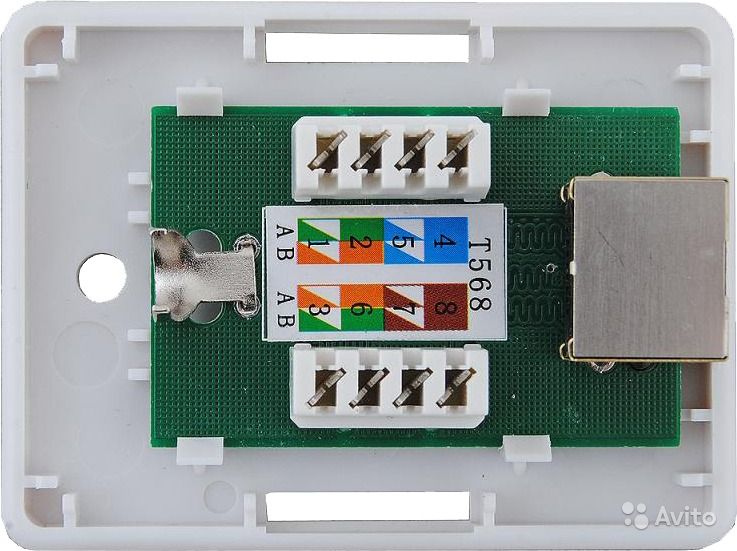
Each core is inserted into the slots of the socket, focusing on the connection diagram with colors under each number, printed on the upper face of the device, or attached to the instructions for it
All cores are inserted into the retainer in turn in accordance with the color. The end of each core is fixed with a clamping bolt. To drown each vein as deep as possible, use the back of a clerical knife.
Color coding marking of all terminals greatly simplifies the process of docking a computer outlet and crimping a twisted pair. Do not worry if the vein does not go all the way. When the latch returns to its original position, the notches placed on the sides will push the cores to the end.
When all the conductors are brought into the seats, the protruding pieces are carefully cut off.
You can read everything about how twisted pair conductors are pinned here.
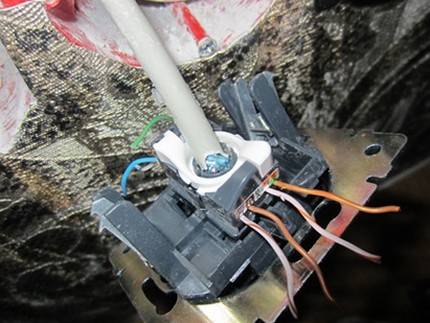
The "core" with the connected wires is installed in its original place by turning the lock-handle in the opposite direction
Using an open mounting method, the device case is fixed on the wall, directing the computer connector down and the cable inlet up. With a closed installation method, the socket is buried in the socket prepared for it, fixing it with spacers.
At the final stage, using a tester, they check the correct connection. If the tester is not at hand, you can simply plug the end of the cable going to the computer into the “core” connected, but not yet installed in the socket.

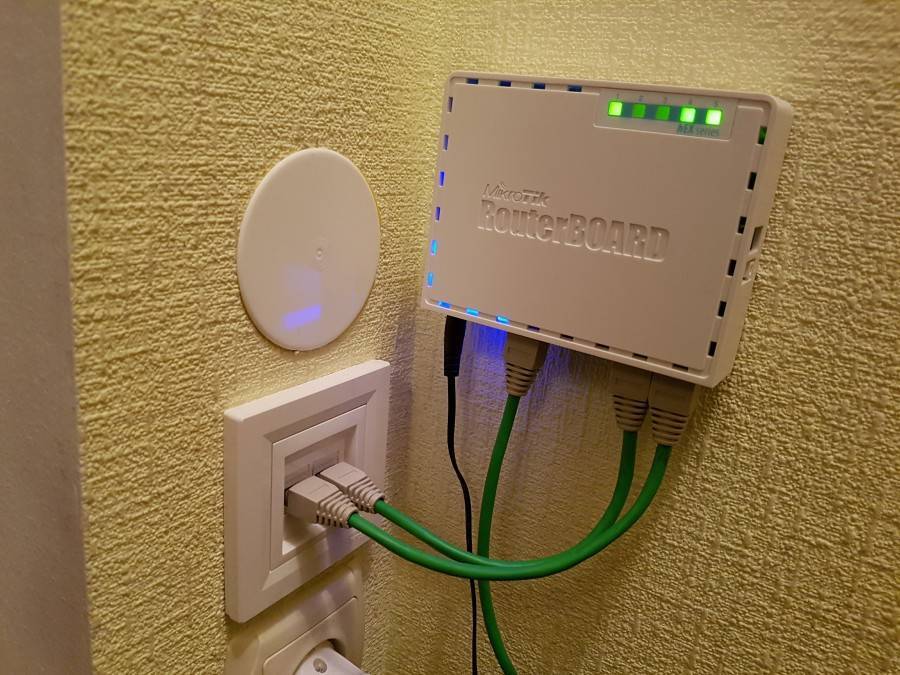
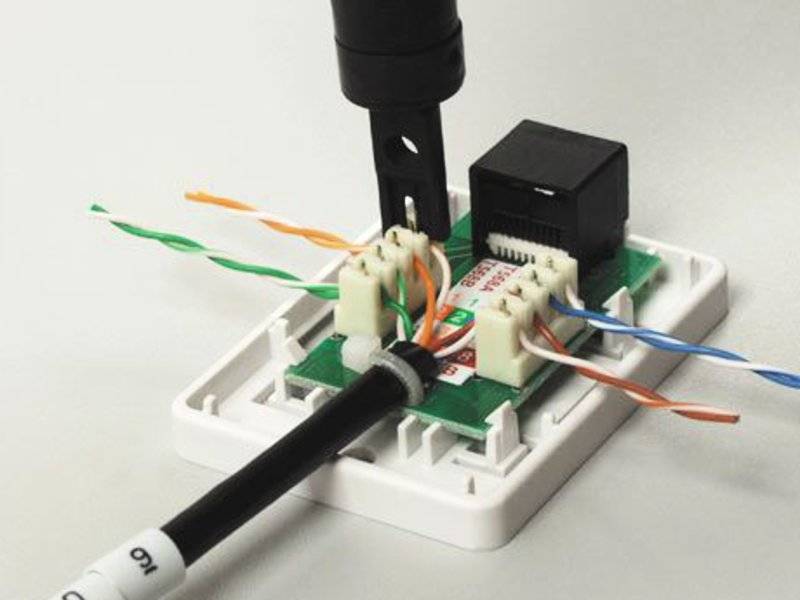


After making sure that the connection is correct, it remains only to screw the front panel.
Laying cables in walls
The process of installing wiring inside the wall is not an easy decision, but the right one. The main advantage is the absence of cords under your feet and the neat appearance of the room. The disadvantage is problematic troubleshooting, if necessary.
Important! The unshielded pair is made of copper. Metal is sensitive to electromagnetic interference
It is necessary to observe the distance between the wiring for the computer and electricity. It should be at least 50 cm.
Action algorithm:
- Route marking.The network cable is limited in bending radius, this should be taken into account when planning the strobe. Each cable has specifications that should be read before use.
- Cable collection. Reliability is the main advantage. To connect the network, it is better to purchase UTP category 5. Basic requirements for cables: bending radius, tensile force, quality assurance.
- Mounting. The cable should be hidden in the corrugation. The diameter of the corrugated pipe must be larger than that of the wiring. It is fixed in the strobe with a plaster screed.
socket types
A power cable must be installed inside sockets of any type. Plug designs do not differ much, but the number of pins may vary depending on which type of fixture is used.
Telephone sockets can be classified according to mounting options:
- external;
- With internal wiring.
The number of connectors for connection in the device also divides the sockets into two categories:
- Single-connector - used to connect one stationary device to the network, most often used in residential premises;
- Multi-connector - make it possible to connect several devices at the same time, they are used in service and office premises.
The type of installed connector separates sockets according to standards:
- RJ-11 - has a two-conductor design, the most common type of connection. It is used for linear telephone trunks.
- RJ-12 - rarely used in everyday life. It serves to connect various network cards and office PBXs.
- RJ-14 - consists of four conductors with the same number of contacts. The versatility of the device allows it to be used with most phone models. One line is connected via pins 2 and 3.Several lines are connected using contacts 1 and 4. In overhead devices, red and green conductors are used for this purpose, located in the central part of the device.
- RJ-25 - contains three pairs of contacts for work. The complex design of the device does not allow you to install it on your own. Installation must be carried out by a specialist in the field of telephony and electricians.
- RJ-9 is a specialized connector that connects the phone handset to the device.
- RTSHK 4 is an old Soviet version of the connector, which is currently not relevant. It consists of four wide contacts and a key. The connection is of a one-piece type and requires a branch box. The closure of a network of several telephone sockets in one room is carried out using a capacitor.
Checking your internet connection
After installing the Internet outlet and the connector at the other end of the cable, it is advisable to check the connection and integrity of all connections. You can do this with the cheapest Chinese device.
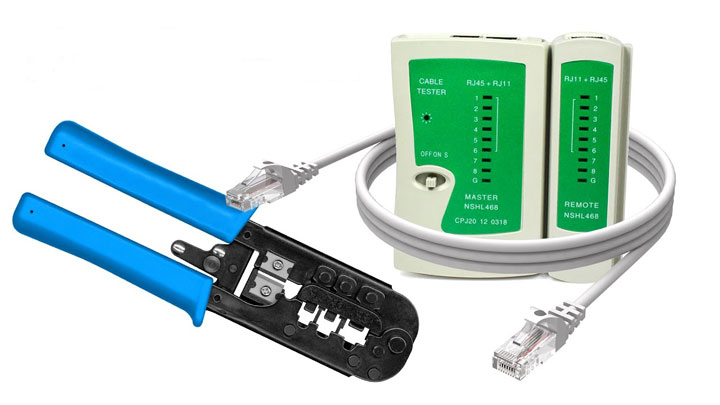
What is its essence? There is a signal generator that sends pulses according to certain codes, and a receiver. The generator is connected at the installation site of the router, and the receiver directly into the outlet itself.
After the pulses are applied, the signals are compared. If everything is in order, the green LED lights on the receiver case light up in turn. If there is an open or short circuit somewhere, then one or more bulbs will not light at all.
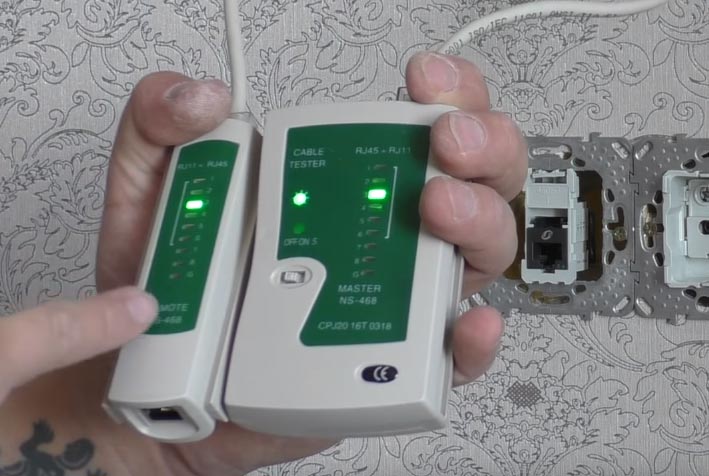
When this happened, then first of all you need to sin on poor contact in the connectors.Most often, it is there, on any core, that the insulation is not completely cut off and, accordingly, there will be no connection.
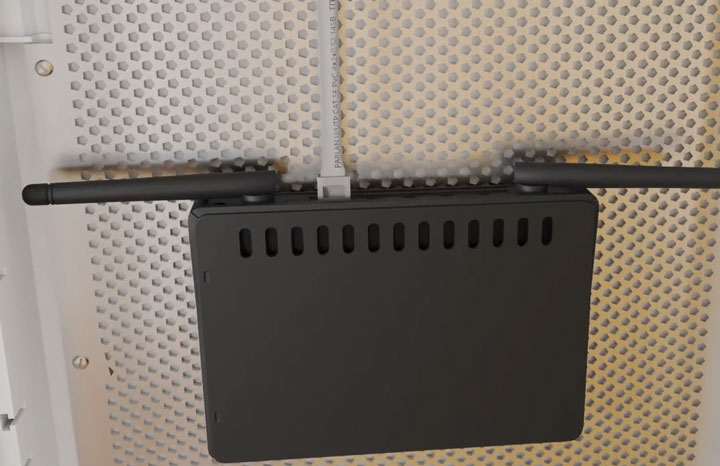
At the very end, a ready-made tested cable with a connector is connected to the router.
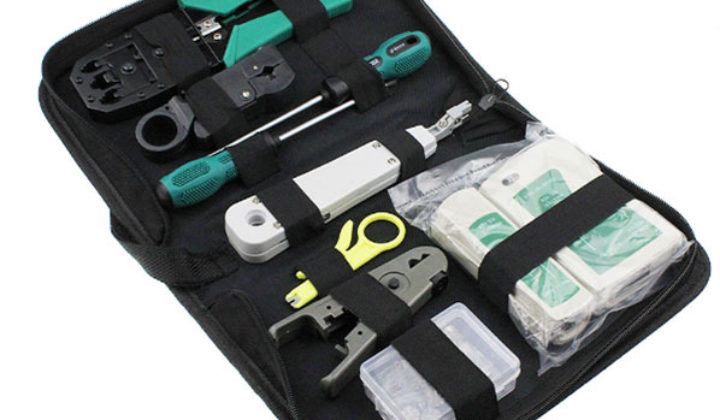
A complete set of all tools for cutting, crimping, dialing the utp internet cable can be ordered on Aliexpress here (free delivery).
Connecting the network cable to the socket
Information nests are divided into two types:
- Internal. The box is mounted deep into the wall, then the contact part is fixed and everything is masked by the panel.
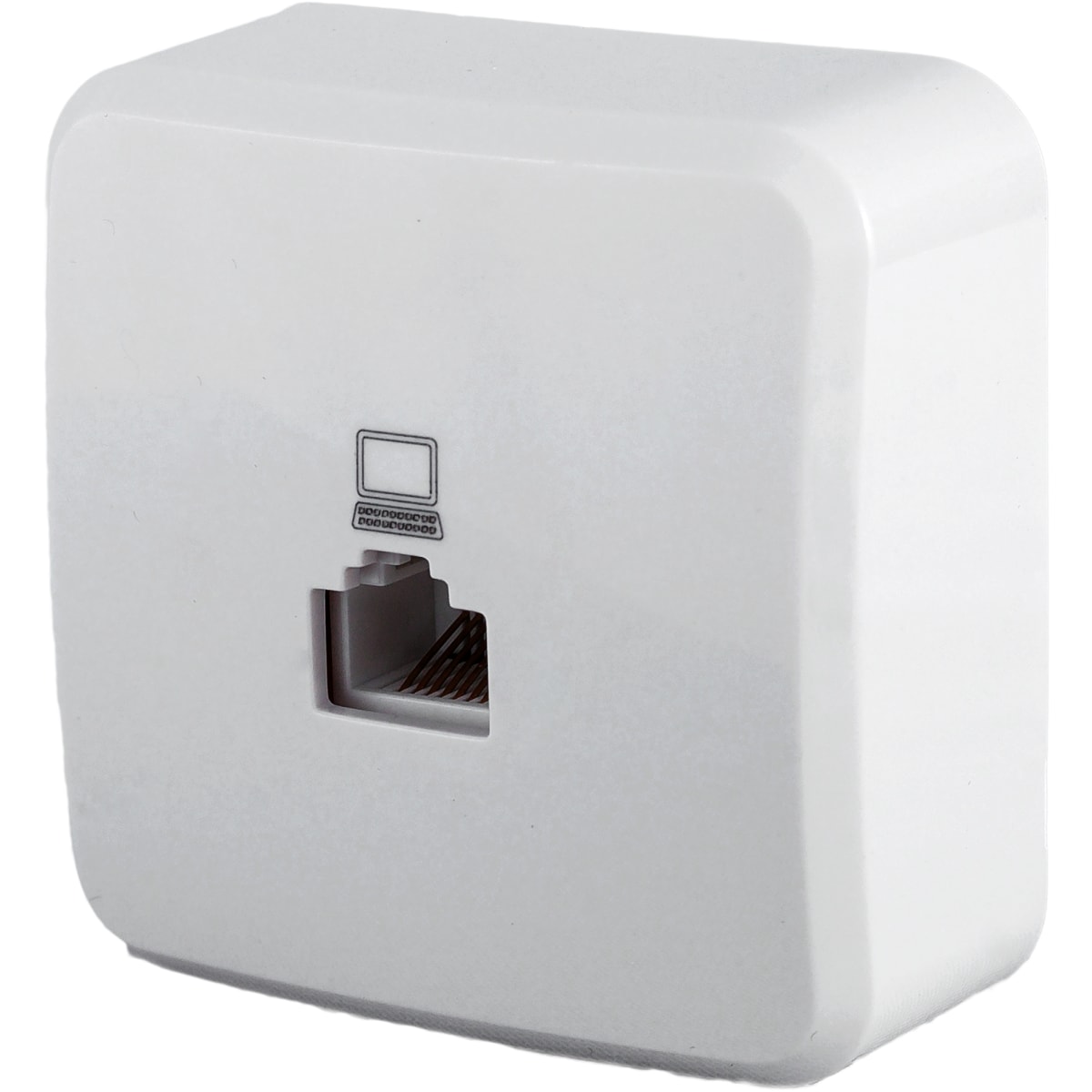
- Outdoor. The case is mounted on top of the wall.
Note! Sockets are distinguished by the number of connection points (single, double)
How to connect a wall socket
In the middle is a designation with the correct wire connection. The chassis should be attached to the wall with the computer inlet down and the cable inlet up. At 5 cm, the insulation is removed from the twisted pair. The main thing is not to hook the insulation of the conductors.
There is a plastic clamp on the board. A conductor is inserted into it and connected so that the stripped piece is below the clamp.
Wires of the desired color are connected to the micro-legs. At the moment when the conductor passes the knives, a characteristic click will be heard.

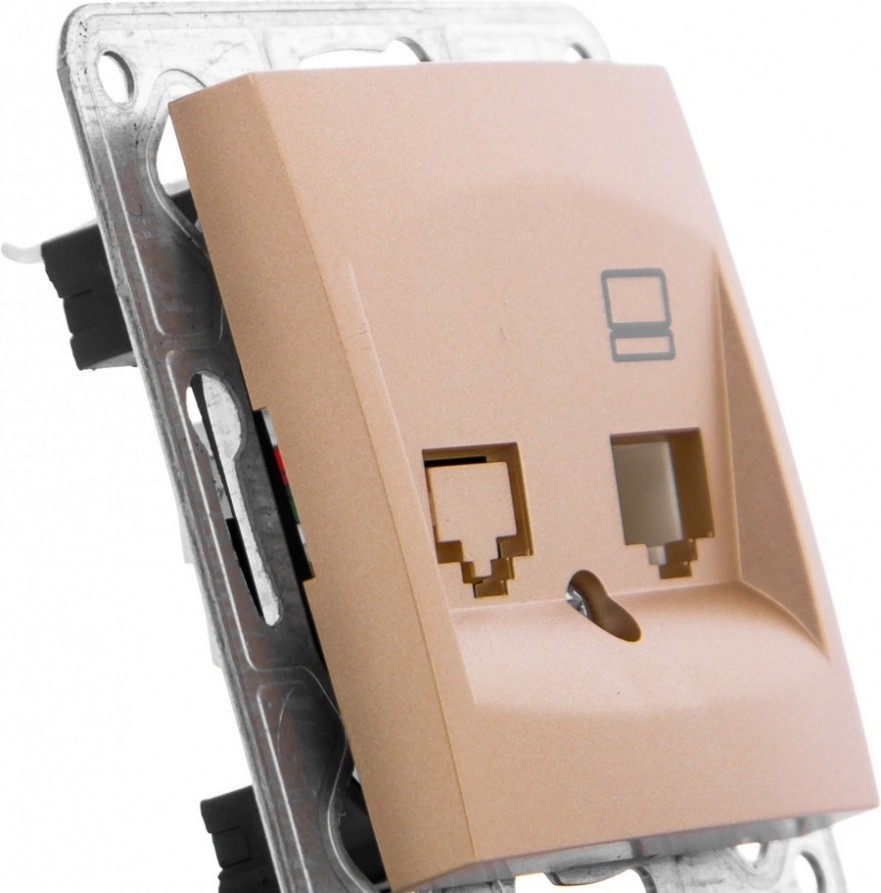


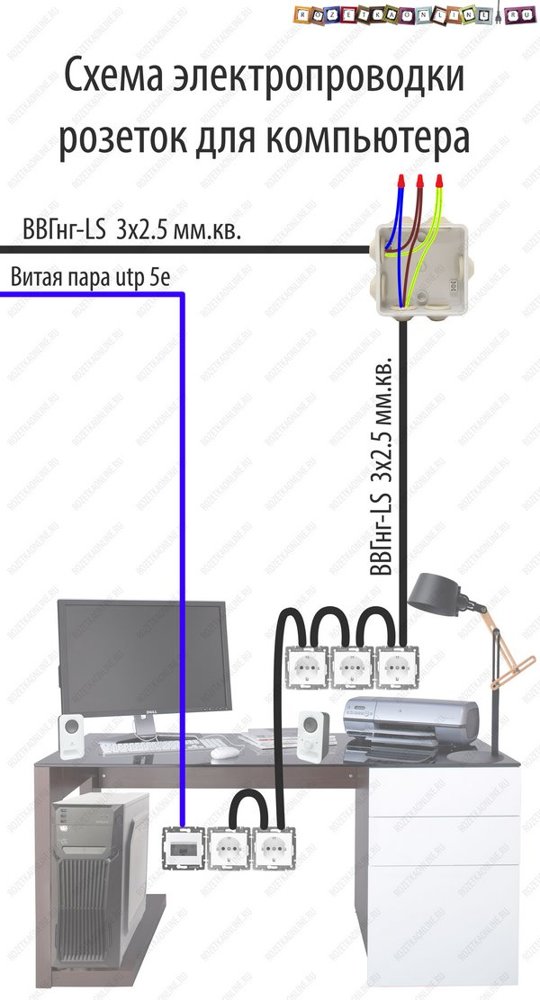
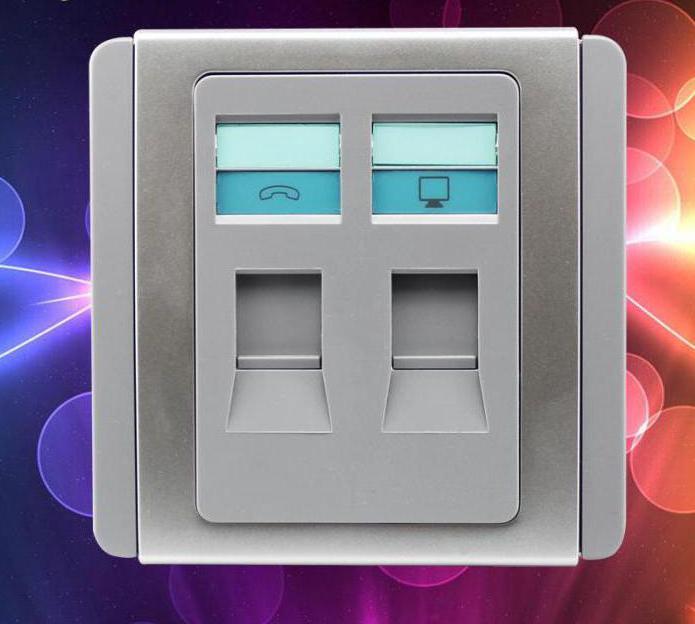


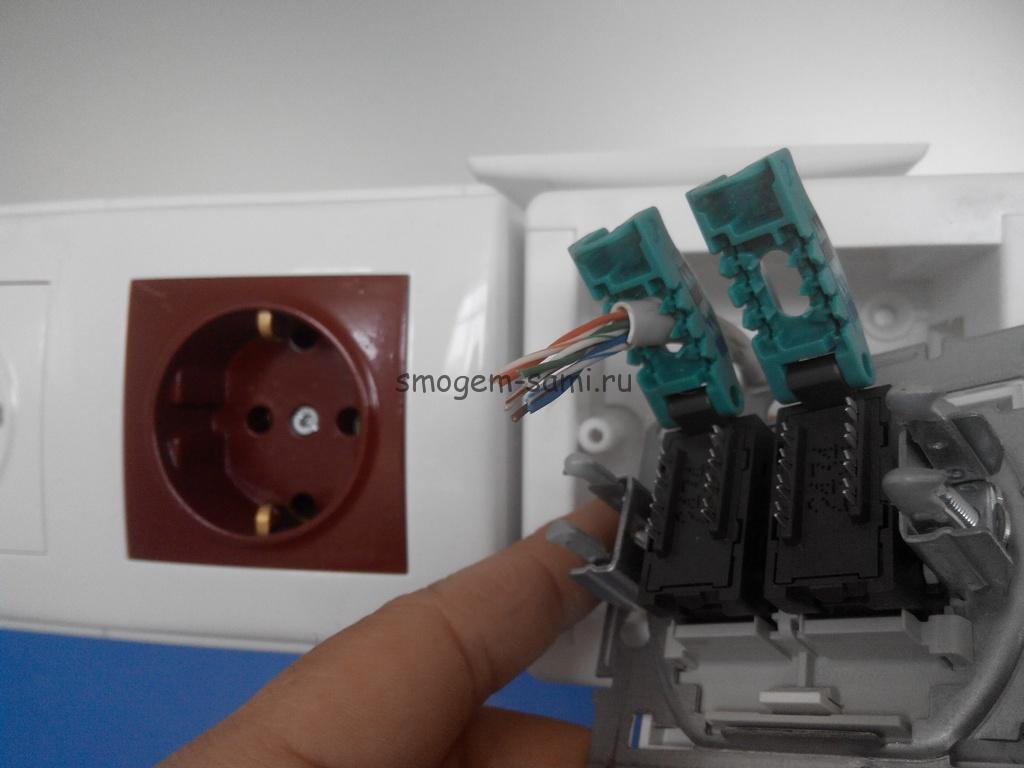
After the distribution of all the conductors, the excess pieces are cut off and the cover is put on.
How to connect an internal socket
The first step is to disassemble the housing by turning the impeller. After that, the plate on which the contacts are removed is removed. The third step is crimping the terminals. The wires should be secured with a clamp and a preliminary check should be carried out. If everything works, the excess is removed and everything is collected. The last step will be closing the front panel of the insides.
Computer socket and its types
To connect computer equipment and any other peripheral equipment, a computer socket of the RJ-45 standard is used. It complies with uniform communication norms and standards designed to automate most tasks.
The device includes a plastic case, inside which is placed from one to four connectors.
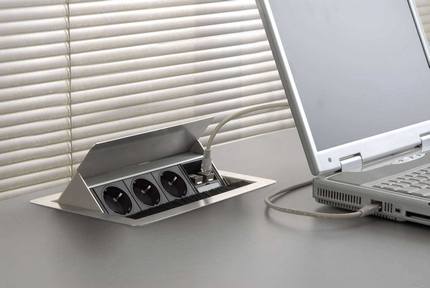
A computer socket is a device whose main function is to transfer a connection from a computer network card to cable networks
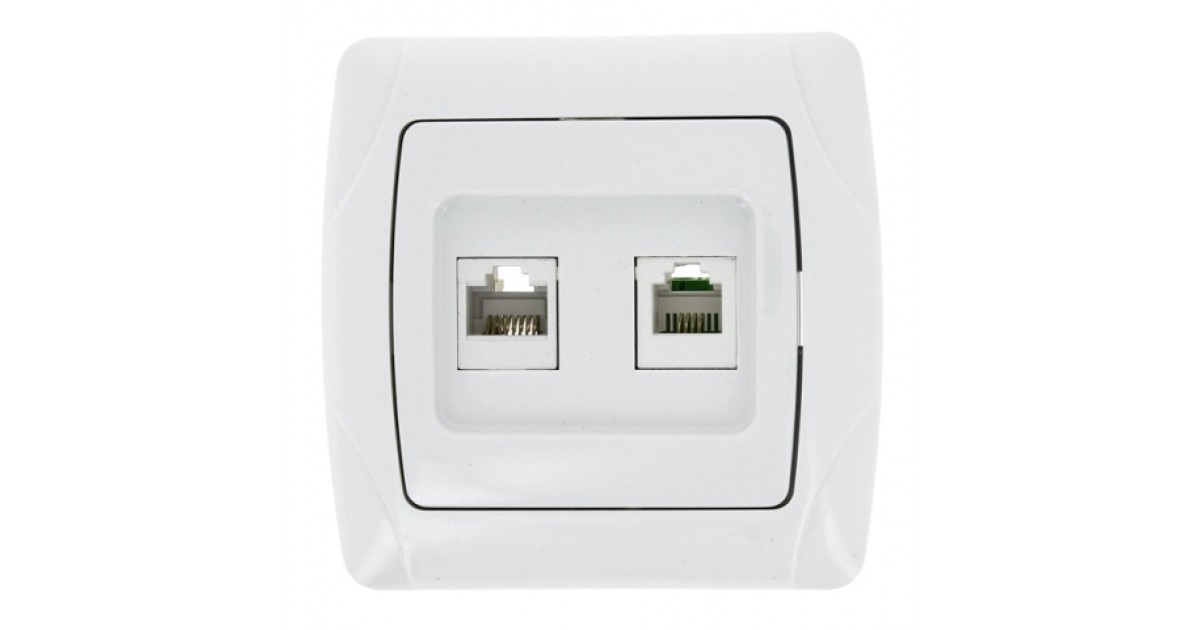
To organize a home network, devices equipped with one or two connectors are most often used. In devices with two connectors, the first one is intended for connection with an information cable going to the computer, and the second one is for switching with a punch panel.
The cable that transmits information, referred to as "twisted pair", is simply inserted into the module intended for it with a contact. Through another twisted pair, information goes to the network.
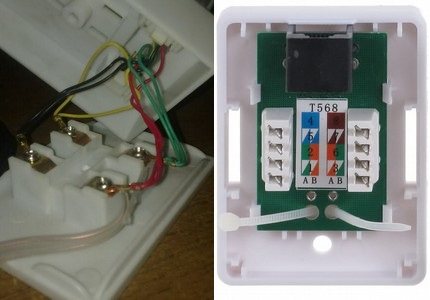
RJ11 standard telephone modules are equipped with two-pair connectors with four pins, and RJ45 type telecommunication devices are equipped with 8 pins
Externally, the RJ45 computer connector is similar to the RJ11 telephone counterpart. But the main difference between the devices is the number of contacts. In telephone models, there are 4 contacts, and in information models, 8 pieces each. For this reason, if the RJ45 computer socket can be used as a telephone socket, then computer equipment cannot be connected to the RJ11 socket.
The sequence of installation work for most types of computer outlets is typical. You need to follow a number of almost similar steps:
We disassemble the device. Structurally, a computer socket is not much different from standard wiring equipment, it includes a mounting plate mechanism and a front part.
We connect a twisted pair cable to a computer outlet according to the diagram indicated on the device case.
Before connecting, we clean 0.5 cm of insulation from the wires.
Having installed the edge of the wire stripped of insulation in the place intended for it, we fix it with a spring device.
We close the terminal with the connected twisted pair cable with a metal cover used as an additional protection for the connections.
Fix the body of the Internet socket on the wall using fasteners corresponding to the material of the wall.
We fix the container with the Internet outlet mechanism in the case by screwing the screws into the complimentary holes.
We fix the part of the front panel that hides the socket terminal and serves as a guide for the plug.
We check the performance of the power outlet, test the quality of the connection and signal.
Outlet Description
Installing a computer outlet is not a difficult task. Almost everyone can handle this procedure. First you need to consider the device and features of outlets. There are many varieties on sale.
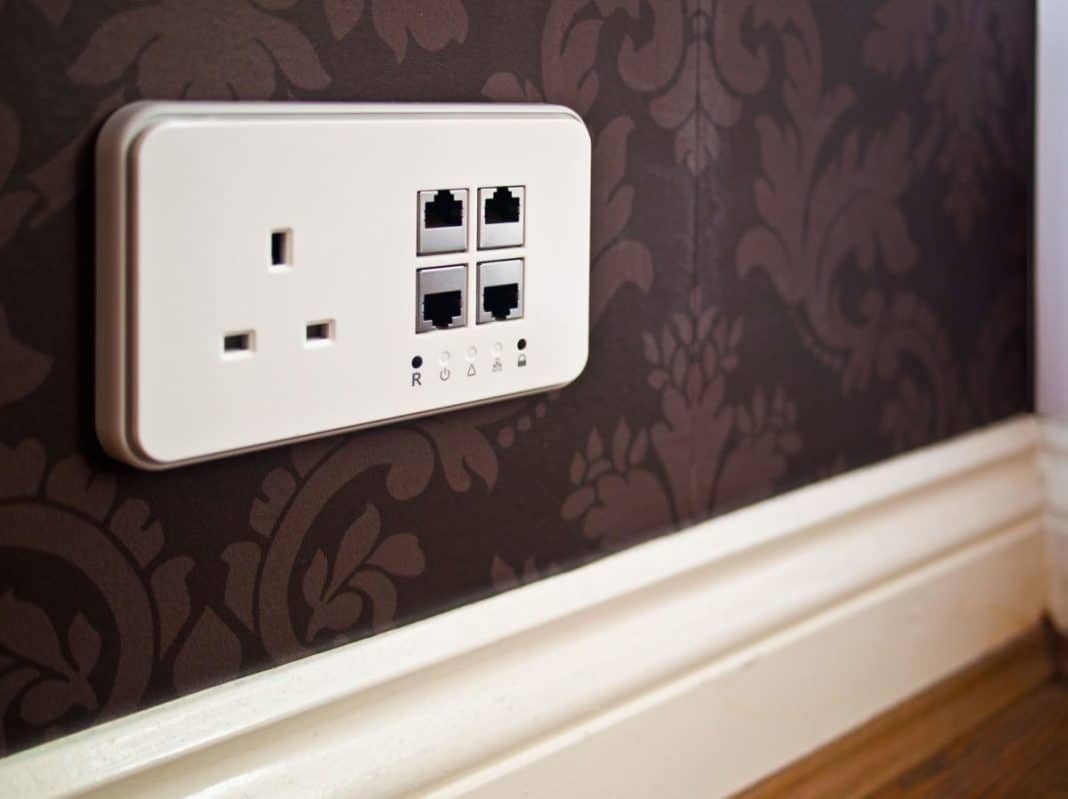
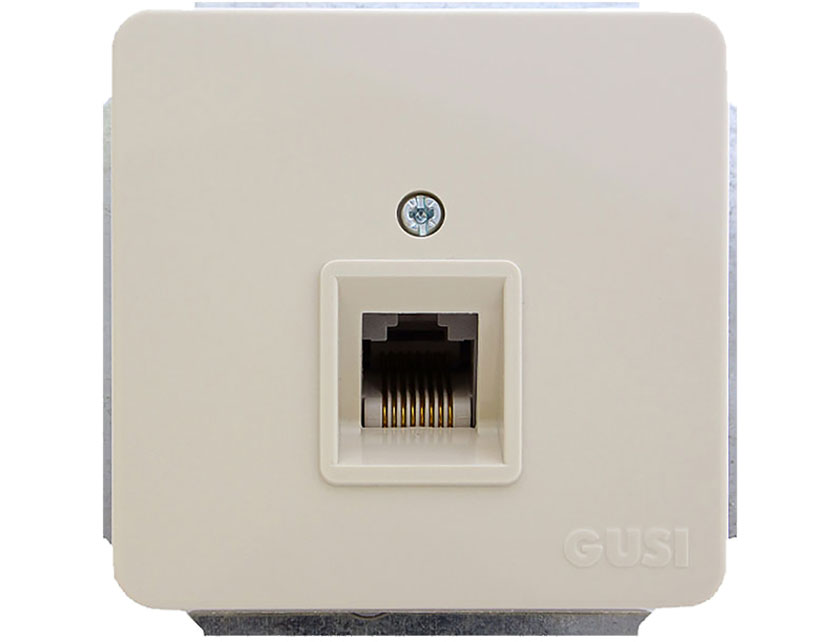
Outwardly, the socket resembles a product for connecting to an electricity network. It has a special connector for connecting wires for using the Internet. This type of outlet is called RJ45. They are also very similar to telephone wire hookups called RJ11.
These two types of sockets have a difference in the number of wires in the network cable. 4 wires are used to connect the telephone line. For the Internet, you need 8 conductors. Therefore, you can connect a telephone cable to an Internet outlet, but not vice versa.
Internet socket installation
From the outlet, first remove the cover and pull out the caliper for ease of installation.
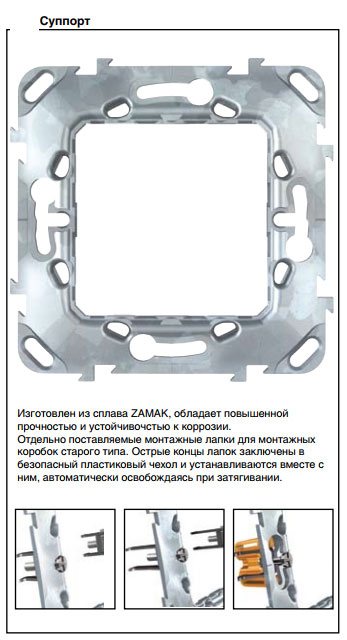
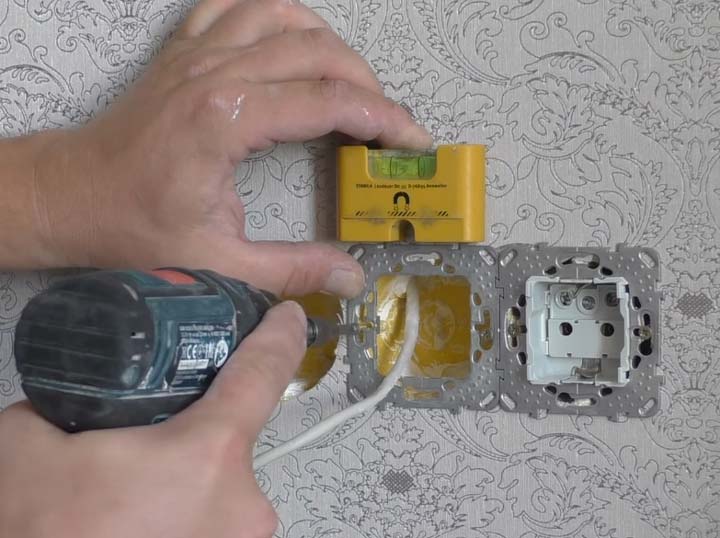
If the design of the outlet allows, the frame on the socket can be mounted initially. Thanks to the grooves in the frame, you can easily adjust the horizontal position of its location.
With screws 3 * 25mm, pre-tighten the entire structure. At the same time, check the accuracy of the installation with the level of the Pocket Electric electrician and tighten the screws completely.
Manufacturers have recently begun to make frames made of aluminum alloy, they are of course stronger in design, but at the same time they will not be magnetized to the level. You will have to support it with one hand on weight.
Next, bite off and leave a supply of wire in the socket, a maximum length of 15 cm. Remove the top layer of insulation from the UTP cable.

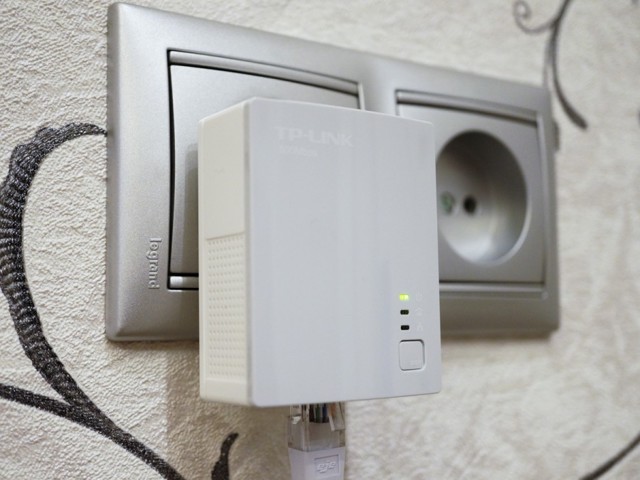




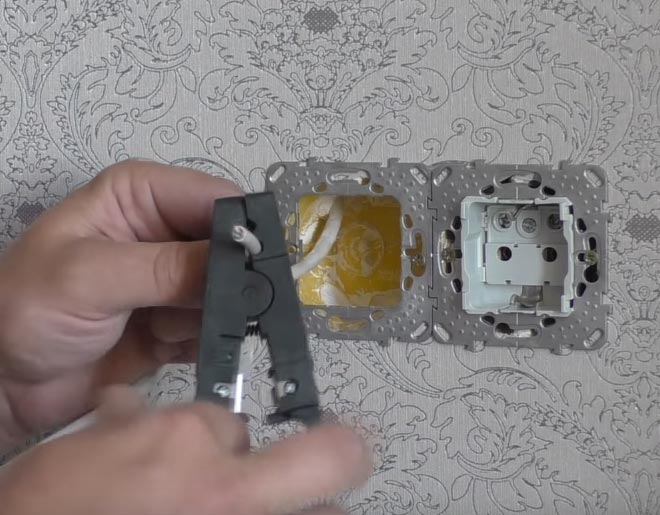
To remove the insulation, so as not to damage the cores, it is better to use a special tool - a stripper. But you can do all this neatly and with an ordinary clerical knife.
The top layer from the cable must be cleaned to a length of no more than 2.5 cm. Cut off the excess thread in this case, which goes between the cores.
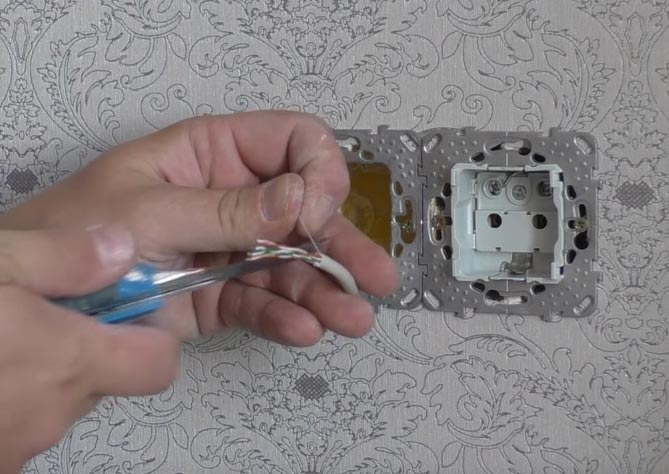
A strong thread in twisted-pair cables, often used to facilitate opening the sheath over long lengths. It is even called that - a breaking thread. In telephone cables, bundles and layers are separated by it.
Lightly untwist the veins separately. Next, pull out the inside of the socket with contacts.
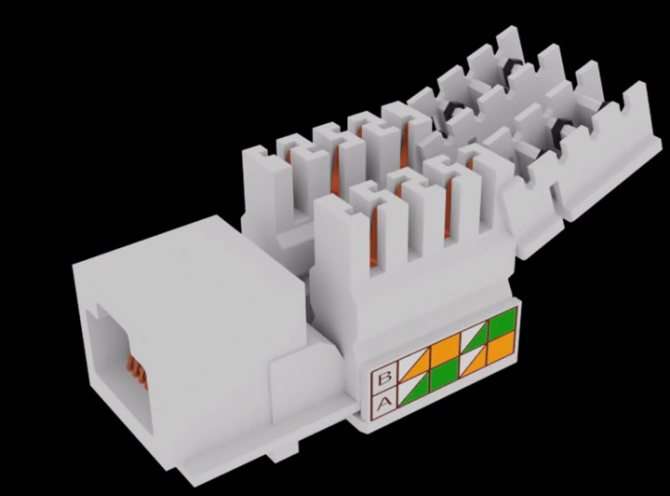
As a rule, for any brand, whether it is a TV, an Internet outlet or a regular 220 Volt, there should be an instruction.
Instructions for the Internet outlet Schneider Electric Unica – Instructions for Legrand –
Preparatory work
First of all, you need to lay electrical wiring under the Internet, if this was not done during the construction of the house. The wiring must be laid to one point in the apartment, and a WI-FI router must already be connected to it.
After you have done the wiring, you can install the socket. To do this, you can use a perforator and a special crown. Thanks to these devices, you can gouge a suitable hole in the wall. The finished niche must be cleaned of dust, and only then a socket box should be installed in it. You can fix it with a thick alabaster mixture. If you are interested, then you can read about the main types of outlets.
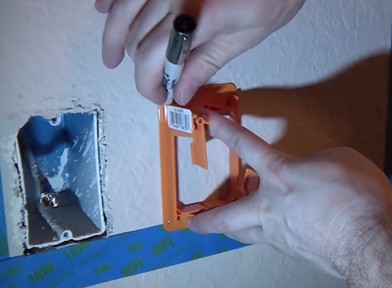
We prepare and mark the place for the socket
After that, you can already approach the wiring.
Wiring signal check
After connecting the outlet, you should check the presence and correctness of the signal. Checked using a household tester. This will require a patch cord with a straight pinout scheme and a length of 0.5 - 5 m.
We connect the second end of the laid wire to the test outlet. We set the tester to the position of the sound signal and check the channels of the patch cord and sockets. An audible signal signals the presence of a connection.
If the tester is not equipped with an audible signal device, you need to put it into resistance mode. The presence of a signal will be indicated by a change in the numbers on the screen.
Also, a signal test is carried out by a special cable tester. This will require another patch cord with a direct connection scheme. To check the signal, insert one end of each cable into the sockets. The remaining ends are included in the tester. The signal of the cable tester will inform you about the correct connection.
If there is no signal (in this case, the connection was made independently, and the connected device was purchased with an assembled patch cord), it is necessary to check according to which scheme the patch cord was assembled and whether this scheme corresponds to how the connector was connected.
The signal may also be absent if a cheap socket was bought, with poor-quality soldering. It should be replaced with a better one. This will save installation time and eliminate the possibility of breakage during the entire service life.
How to connect a computer outlet
Regardless of the type of device, connecting a computer outlet is done according to a ready-made scheme. Basic steps:
Pull the end of the twisted pair into the base of the outlet, then remove the braid 5-7 cm, as it will be convenient. Unwind and straighten the free ends of the cable conductors
This must be done carefully so as not to damage the colored insulation.


Lead the twisted pair cable into the hole in the base of the socket or into place next to the screed. Pull the free conductors from this position to their places according to the diagram, fix, cut off the excess length.

Fix the twisted pair cable with a tie or latch, as provided by the design.

Termination of the connector in the connector
To connect the connector, the insulation is removed from the end of the cable. Each pair is untwisted and aligned, directed in different directions. If a shielding thin wire is provided, it is also temporarily bent to the side.


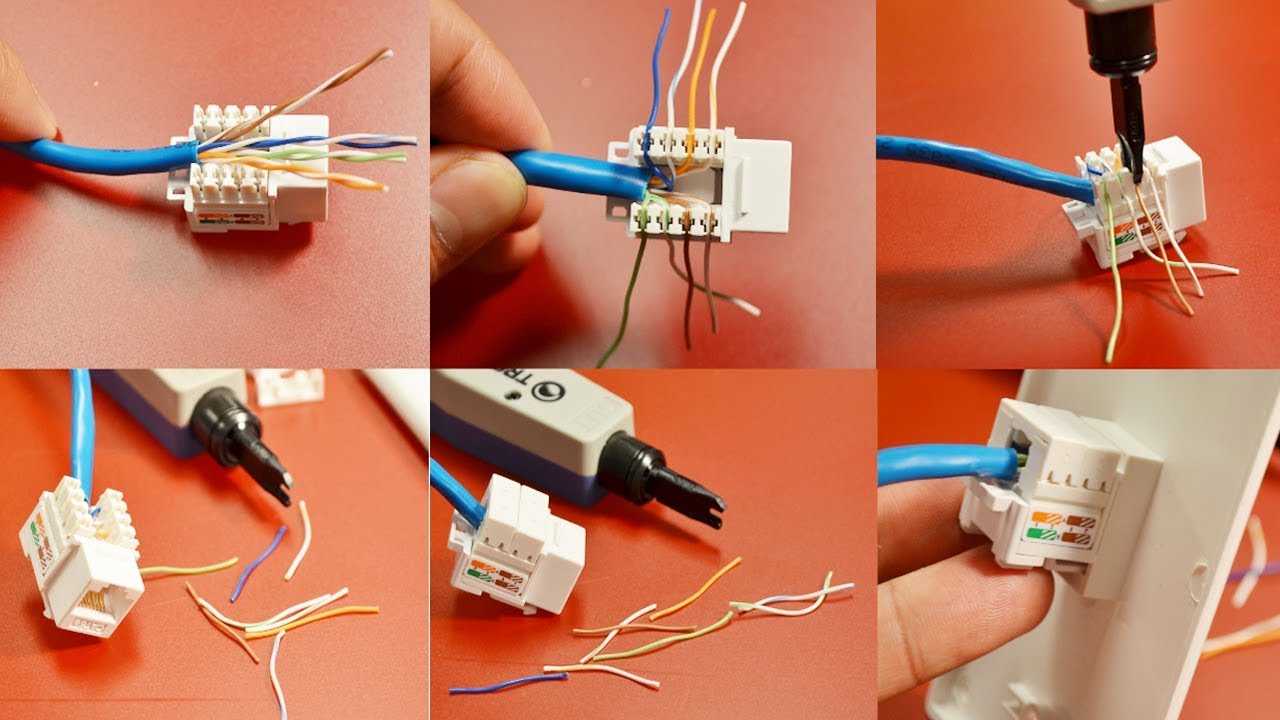

When laying out pairs in a certain sequence, they are guided by the “B” scheme described above.
The wires tightly laid in one row are aligned and cut, leaving a length of 10-12 mm so that the twisted pair insulation starts above the latch
Twisted pairs with cut ends wires lead into the cavity of the connector. The connector must be positioned with the latch down. Each conductor is laid on a separate track, trying to push it all the way.
The connector with the wires laid in it is inserted into the pliers. To close the connector, you need to smoothly bring the handles of the pliers together.
The protrusions in the sockets of the tongs, when pressed, will move the conductors to the microknives, and they will already cut through the protective sheath and provide reliable contact
Ideally, if the body of the connector "sits" into the socket normally, no effort is needed. If it is necessary to re-terminate the cable, you only need to cut off the end again and perform the same steps, but with a different “jack”.
The technology for installing a double outlet is similar. The only thing is that two cables will have to be connected from the router, since a parallel connection is not used for network equipment.
Requirements for device components
Without a set of accessories, it is impossible to connect a computer outlet.
You will have to purchase separately:
- Cable (lan) of the appropriate category.
- Connector (jack) - a device in the form of an eight-pin plug for connecting a cable to a computer port.
- Patch panel - provides the ability to quickly switch between active network equipment and working points. The number of device ports depends on the number of connected equipment and can vary from 10 to 50.
To connect an RJ45 cat.5e socket, you will need a four-pair twisted-pair shielded cable equipped with a common foil shield of the KVPEf-5e 4x2x0.52 type. If the RJ45 cat.6 model is connected, a four-pair twisted-pair cable is also required, but of the KVP-6 4x2x0.57 type.
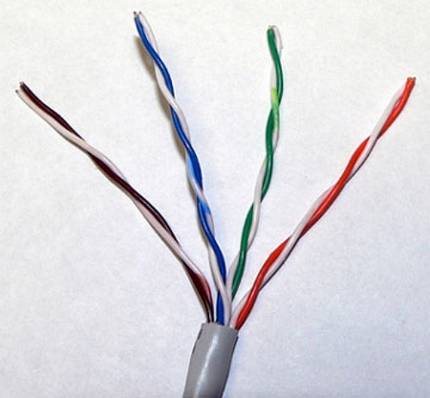
The generally accepted cutting option in Russia is the EIA-5688 standard; its marking is displayed by the Latin letter "B"
An eight-core Internet cable includes four twisted pairs. The second wire in each twisted pair has white insulation and is marked with a white stripe.
Information cables are divided into several categories, starting with the third. The higher the category, the higher the transmission standard.
Two-pair cables are used to transfer data at 1 Gb / s, and four-pair analogs are used within 10 Gb / s. The price difference between them is not big. Therefore, when planning to use a larger number of conductors in the future, it is better to immediately purchase a four-pair network.
Cables of category "3" and "5" are used for data transmission at a speed of 100 Mbps, and categories, starting with "5e" and higher - at 1000 Mbps
When installing connection points, preference should be given to shielded cable types, which are most protected from interference. Shielded cables are suitable for solving a wide range of tasks: telephony, smart TV, Ethernet.
If during the installation of the equipment there is not enough cable length or one of its sections is damaged, you can use the socket-socket adapter. When connecting the connector for cable extension, in order to avoid mistakes, you only need to focus on the color indicators printed inside the box.
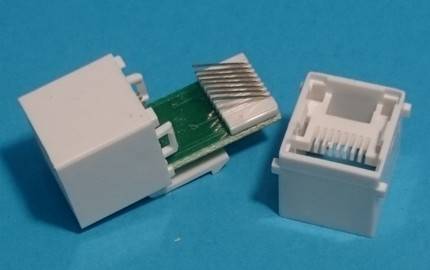
The RJ45 female-to-female adapter allows you to quickly connect twisted pairs equipped with a connector of the appropriate standard without compromising signal loss
When choosing a patch panel, focus on the category of outlet. On sale there are devices of category "5", "5e" and "6".
The end of the data cable is equipped with an 8P8C connector, referred to in professional jargon as a "jack". It has a transparent case through which multi-colored wires are visible.
This element is often erroneously referred to as RJ45. But in fact, RJ45 is an accepted standard, and the exact name of the connector is 8P8C. Today, for connection with equipment, the TIA / EIA-568-B standard for connecting twisted pair wires, which has been generally accepted since 2001, is used.
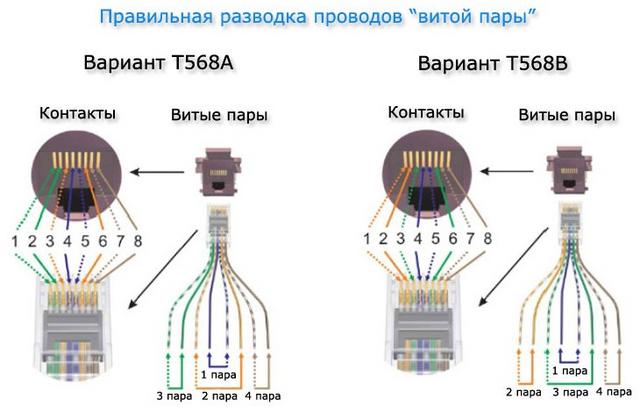
When connecting an Internet cable, two schemes are allowed: T568A and T568B. But in our country, the wires are located mainly using the “B” scheme.
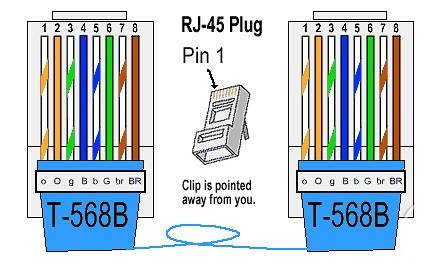
The TIA/EIA-568-B twisted-pair wire connection standard implies a sequence of wires in this order: (1-2) -white-orange with orange, (3-4) – white-green with blue, (5-6) white-blue with green, (7-8) - white-brown with brown
When connecting 10BASE-T and 100BASE-T networks, the TIA/EIA-568-A standard is used. You should not be afraid that, when connecting a twisted pair cable, you can accidentally confuse something. Modern models of routers are designed for both options. Therefore, they are able to automatically flip the signal.
Connecting a computer wall outlet
Almost all manufacturers of computer sockets place a connection diagram inside, indicating the order in which the wires are placed, based on their colors. As a rule, both scheme "A" and scheme "B" are indicated.
Scheme "A" should not be taken into account, but focus on the scheme "B"
First of all, they begin to install the case on the wall, positioning it so that the cable inlet looks up and the computer connector looks down. Although this installation option can be changed, depending on the specific conditions, the outlet can be installed horizontally.

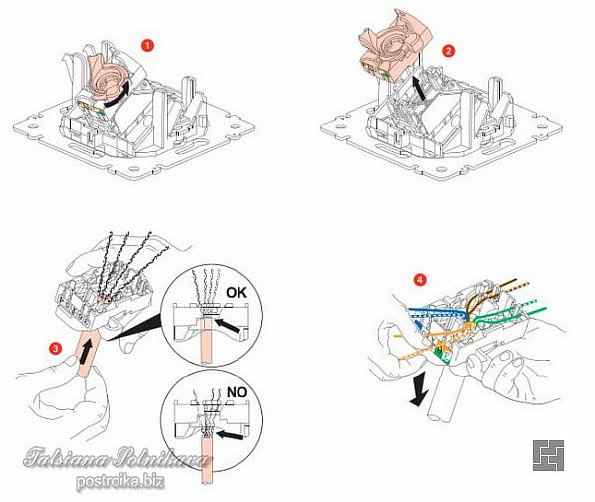

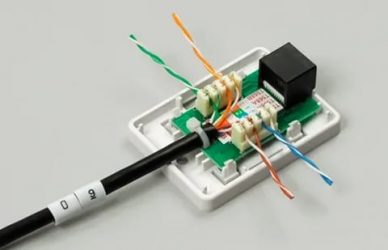


- After that, proceed to connect the outlet. The protective insulation is removed from the cable by about 5-7 cm. At the same time, it is necessary to control that the insulation of the conductors themselves, twisted in pairs, is not damaged.
- In the photo you can see that there is a small plastic clamp on the board. Wires should be brought into it and fixed so that the wires stripped of protective insulation are below the clamp. As a rule, the fastening is in the place where the protective insulation was not removed.
- On the case you can see microknife contacts, to which wires corresponding in color are connected. The wires are inserted with force so that they reach the very end of the contact group. At the moment the wires pass through the knives, a characteristic click should be heard. This indicates that the knives cut through the insulation and fell into place. If no clicks were heard, then proceed to an additional procedure, picking up an ordinary screwdriver with a thin blade. With its help, the wires are pressed against the micro-knives with force. As a rule, after such a procedure, microknives reliably cut through the insulation of the wires, providing a suitable electrical contact.
- After all the conductors are securely in place, excess unnecessary pieces are removed with a knife or scissors. You can use clippers.
- And in conclusion, the lid is put on
As you can see, connecting an Internet outlet is not a complicated operation and anyone can handle it. This may take only a few minutes. In this case, once is enough, although the first time it may not work, especially if there are no skills in handling wires.
In order not to suffer too much, it is better to watch the corresponding video, which shows and tells how to connect a computer outlet with 4 wires and with 8 wires.
Internet socket connection diagram on inrouter channel
Watch this video on YouTube
Despite the different number of wires, the connection technology is the same.
What is an internet socket?
The main difference between an Internet outlet and a regular electrical one is that it has its own unique connector, which is connected to a special type of wiring called twisted pair. It is unique in that it contains 8 individual copper wires twisted together in 4 pairs. Thanks to such a connection system, existing electromagnetic interference is leveled, which ultimately ensures a high data transfer rate (up to 1000 Mbps).
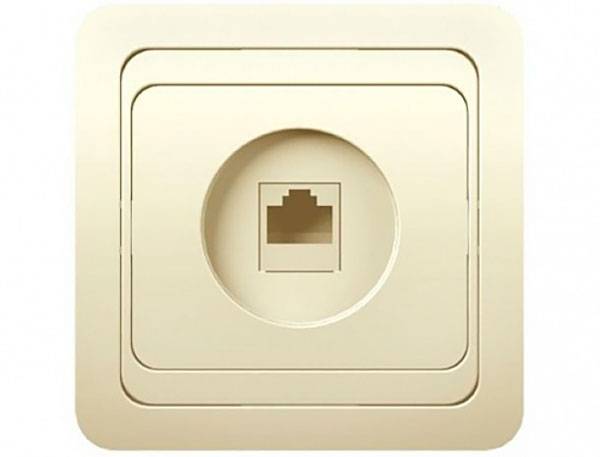
The Internet socket has a special connector to which a twisted pair cable is connected.
The return connector is called RJ-45/8p8c. It is mounted on the cable using a special tool, and the connector wires must be arranged in a strictly defined order.
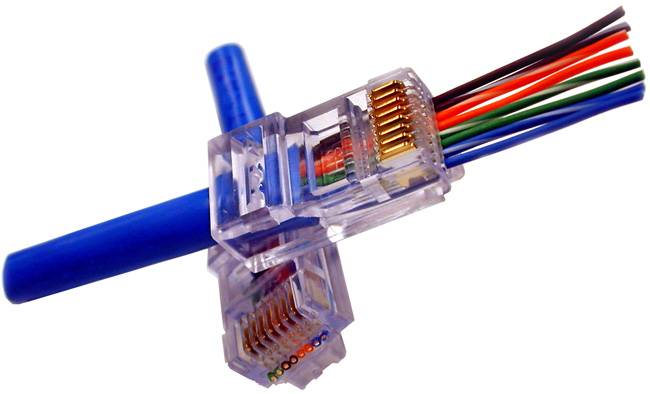
The sequence of colors of wires connected to the pins of the connectors is determined by the standard scheme
Classification of Internet outlets
IT specialists classify Internet sockets according to their distinctive features:
- By the number of available slots. There are single, double, as well as terminal modifications (for 4-8 connectors). A separate subspecies of the terminal socket is the combined one (with additional types of connectors, for example, audio, USB, HDMI and others).
- According to the bandwidth of the information channel. They are divided into categories:
- UTP 3 - up to 100 Mbps;
- UTP 5e - up to 1000 Mbps;
- UTP 6 - up to 10 Gbps.
- According to the installation method.As in the case of electrical outlets, there are internal (the mechanism and the contact group of terminals are recessed into the wall) and overhead (the mechanism is mounted on top of the wall).
Terminal Internet outlets have additional connectors of various types, for example, television
Optimum location height
If you decide to place the TV on the wall, the installation height of the socket block is determined automatically - it is hidden behind the TV panel. The solution differs from the standard placement options for conventional power points. This method of mounting telesockets is designed for complete masking of inlets, connectors, visible cable segments.
Wires hanging on the wall can spoil the design of the most sophisticated interior, besides, their open location is a risk of breakage (small children will cut it, a dog will gnaw it, etc.).
The option for the correct installation of the TV: it is pressed against the wall as much as possible, all the wires are hidden under the lining, the sockets are in a hidden space, right behind the screen
The mounting height of the outlets is based on the height of the TV hanging, which may vary slightly. Usually television and video equipment is placed at the eye level of a person sitting on a chair or sofa. The optimal distance is considered to be 1.2-1.4 m (from the floor surface to the center of the outlet). In relation to the TV - a little below its upper edge.
But there are also exceptions. For example, a kitchen video device is most often mounted a little higher in free space, respectively, and sockets should be installed above the specified height.
Mounting the socket on the wall
The computer socket can be installed both hidden and external.How to install this element depends on personal preferences and the appropriateness of using one or another model of such a device. If we install the device in a room that is designed to accommodate a large number of computers, then the most suitable option would be to use an external device. To carry out the fastening of such an element, it is necessary to install the cable into the connector, then using two dowels, the inside of the socket is fastened to the wall. The next, final step will be the installation of the decorative part of the computer outlet. It will take much more time to install the internal structure. Such a device is connected to the cable in the manner described above, but the installation of this element to the wall is completely different. Installation of the internal model is performed in the following sequence:
- A hole is made in the wall with a drill with a crown nozzle, the inside of which is then removed with a chisel and a hammer.
- A strobe is made to the wall from one computer outlet to another. If you are connecting a high-speed Internet connection or a telephone cable for the rj11 connector, then you will need to lead the strobe to the communication junction box.
- In the hole made, a socket is installed and fixed with a gypsum mortar.
- A cable is fed through the gate to connect the computer, output to the installation box and connected to the outlet.
- The socket is installed in the installation box, and securely fixed with screws.
- A decorative plastic overlay is installed.
Options for using RJ-45 Internet sockets
In terms of the number of wired networks, private households are leading.However, sockets for Internet cables find their application in other areas.
The performance requirements for these devices vary depending on the type of room in which they will be installed. You can conditionally divide them as follows:
- office rooms;
- Internet clubs;
- server rooms;
- places of trade;
- buildings and premises with increased protection against burglary.
No modern office building is complete without access to the Internet or a local network. So, an Internet outlet is an integral attribute of such premises. In this case, it can not only be mounted on the wall, but also attached to the workplace. The second method is preferable, since openly laid wires fail much faster and violate the aesthetic appearance of the room.
The existence of modern educational institutions is unthinkable without the presence of computer classes, Internet libraries and various multimedia devices. For this reason, an RJ45 socket in such places is no less common than an electric one.
As for bank vaults, buildings of state and corporate security services, in such places it is necessary to create wired networks, since wireless networks cannot provide adequate security.
 Watch this video on YouTube
Mobile Internet
The name itself speaks for itself. This is the Internet that you can use wherever you are in the coverage area of the provider (mobile operator). There are two connection options here: via a mobile phone or via a special modem. The latter can be connected to a smartphone, tablet or laptop via USB ports (miniUSB) as a separate small device.Manufacturers often equip some models of computer and mobile equipment with such a modem.
Almost all modern mobile phones have Internet access. Somewhat outdated models are connected via slow and, at the same time, expensive GPRS technology. And for more modern mobile devices - smartphones and tablets - mobile operators offer high-speed connection technologies that can provide Internet access wherever there is coverage of this operator. These are such technologies as: CDMA, WiMAX, LTE, UMTS. If the gadget is not equipped with a built-in modem capable of supporting these technologies, almost all mobile operators can offer their own branded plug-in modem.
The data transfer speed of these technologies can vary greatly in different user locations. However, now special Internet signal amplifiers are being produced that are capable of increasing this speed by several times.



